
Emploi du temps scolaire
Plan every period, place every teacher and print professional timetables from pre-primary to Senior 6.
Every lesson in its place
Tell the tool about your school day, classes, subjects, rooms and teachers, then press Build. It places every lesson so that no teacher is ever in two classes at once, and it keeps the changes you make by hand.
- Gratuit à ouvrir
- Sans inscription
- Fonctionne hors ligne
- Anglais, français, kinyarwanda
- S’installe comme une application
 Emploi du temps scolaire
What it looks like
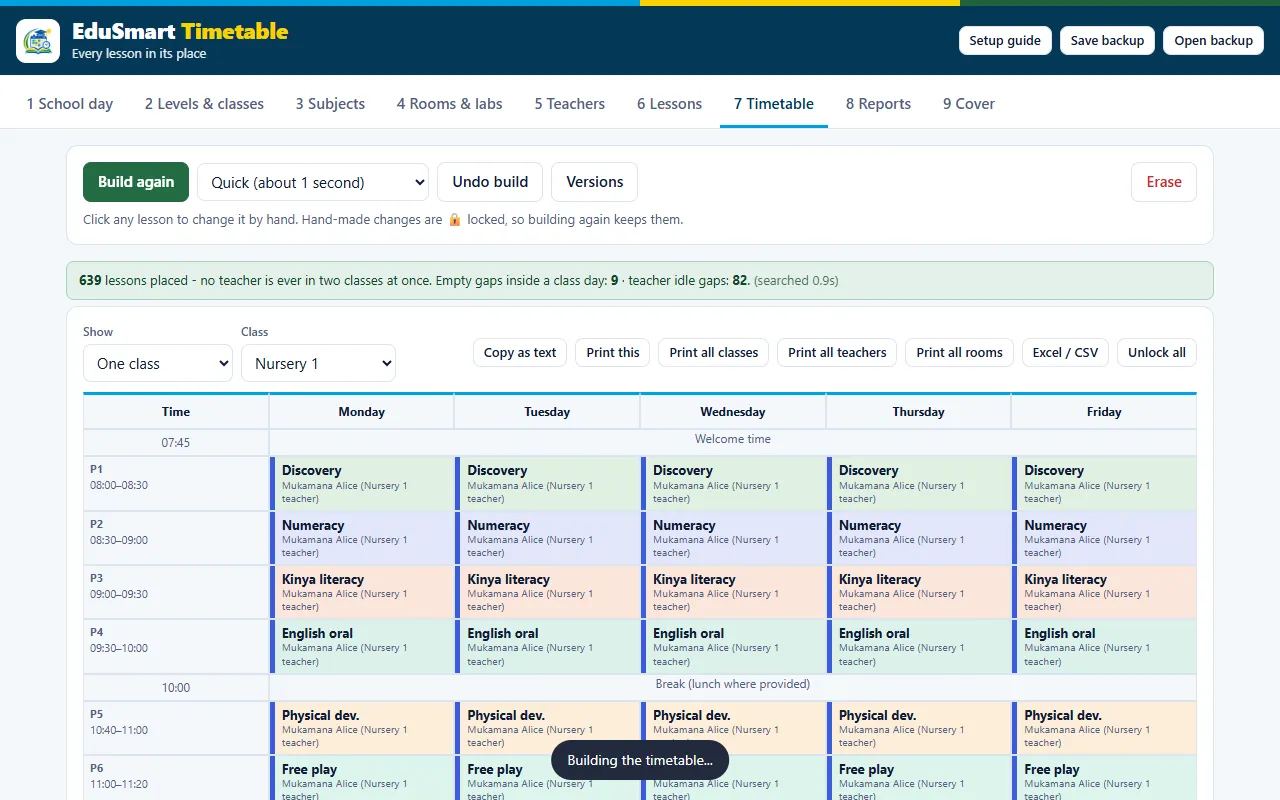
Real screens from the tool, filled with example data.
Emploi du temps scolaire
Emploi du temps scolaire
Made for Rwandan schools
Planifiez chaque période, placez chaque enseignant et imprimez des emplois du temps pour les classes, les enseignants et les salles, avec les périodes hebdomadaires REB 2026-27. Gratuit, fonctionne hors ligne.
One click build
Build a full timetable in about a second, or search longer for a tighter result.
No clashes
No teacher is in two places at once. Days off and limits for each teacher are respected.
Double periods and preferences
Set double periods, subjects that must be in the morning, rooms and labs.
Change by hand
Click any lesson to move it. Hand-made changes are locked, so building again keeps them.
Print what you need
Print timetables for all classes, all teachers or all rooms, or export to Excel.
Cover for absent teachers
Find a free teacher when someone is away and keep a cover list.
From start to print in a few steps
- Describe the school dayDays, first bell, assembly, periods, breaks and lunch. Start from the standard Rwanda day.
- Add classes, subjects and teachersChoose levels from pre-primary to Senior 6 and who teaches what.
- Press BuildThe timetable appears with a report of any gaps.
- Fine-tune and printMove lessons by hand, then print or export.
Useful for
- Head teachers and directors of studies
- Primary and secondary schools, and nurseries
- TVET and training centres
- Schools that share teachers or rooms
Use it like an app, with no store
Open it once with internet. After that it also works with no connection.
On an Android phone
Open the tool in Chrome, tap the menu (three dots) and choose Installer l'application or Ajouter à l'écran d'accueil.
On a laptop or computer
Open the tool in Chrome or Edge and click the small install icon at the right end of the address bar.
Confidentialité dès la conception
Nothing is sent to us. Your school details and work stay on your device. Use Save backup to keep a copy and Open backup to move to another device.
Bon à savoir
Does it use the REB weekly periods?
Yes. It includes the REB 2026-27 weekly periods for pre-primary to Senior 6, and you can change them to fit your school.
Will two classes ever share a teacher at the same time?
No. The tool never places a teacher in two classes at once. If something cannot be placed, the report tells you what and why.
Do I need internet?
Only for the first visit. After that it works with no connection.
Where is my school data?
On your own device, in your browser. Use Save backup to keep a copy and Open backup to move to another device.
Est-ce gratuit ?
Yes, you can open and use it for free. Contactez-nous for training or help with your first timetable.
Is it part of the Smart School App?
A timetable generator is also built into the Smart School App for Windows and Android, together with books, exams, lesson plans and reports.
Nous pouvons former vos enseignants
Ask for a short training for your school, or tell us what else you would like the tool to do.
