--:--:--Kigali, Rwanda
+250 782 368 555
Home / Take the tour

Take the tour

See Smart School App screen by screen, the way teachers and learners use it. No sign up needed.

Smart School App
Teacher overview
Step 1 of 12

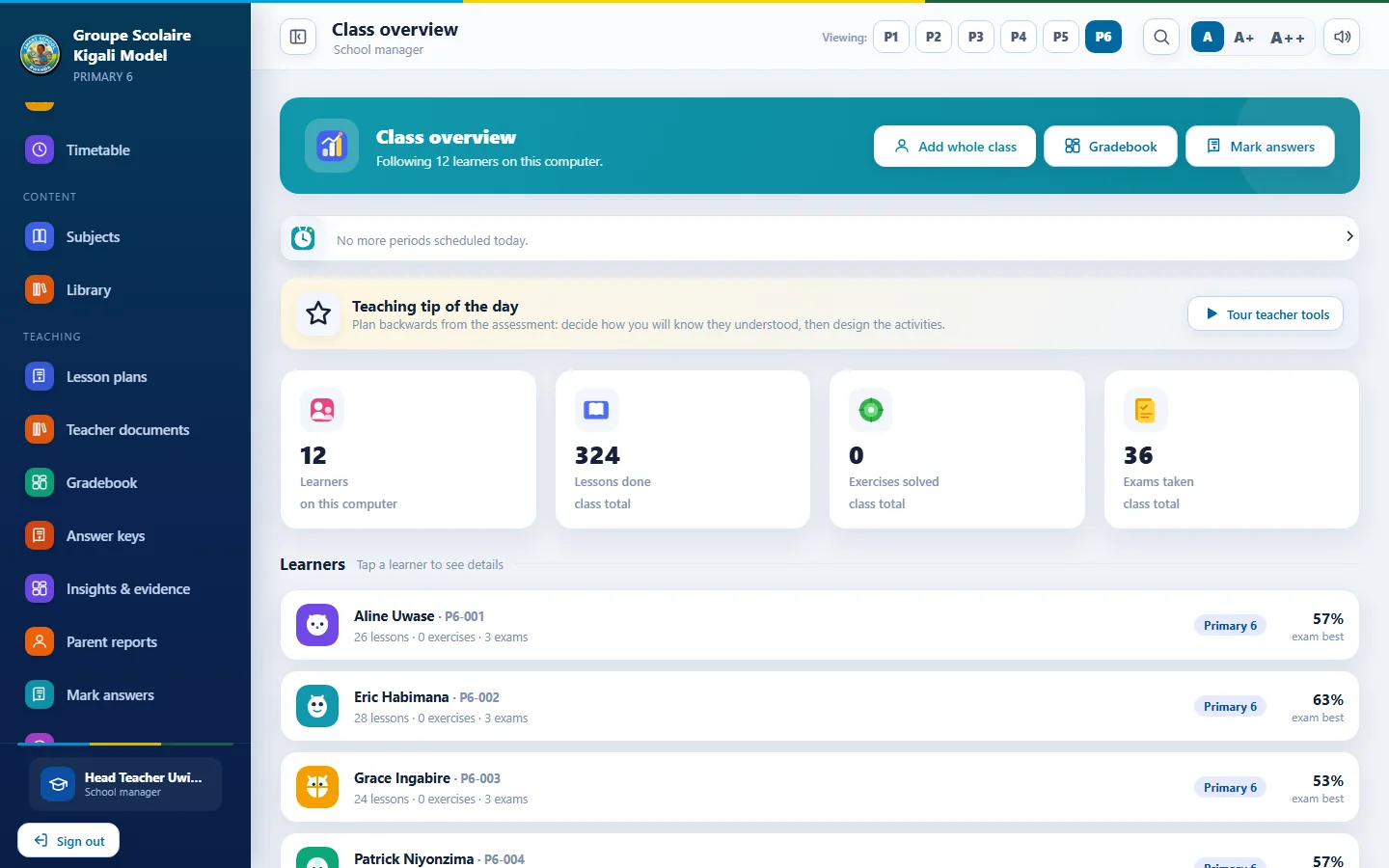
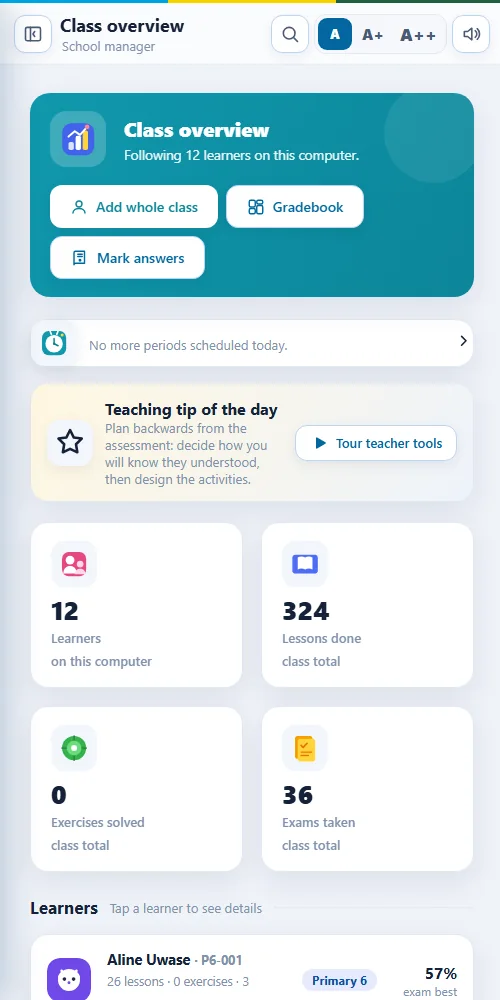
Teacher overview

A quiet start screen for the class: learners, lessons done, exercises solved and exams taken, with shortcuts to the tools teachers use most.

  • Class totals at a glance
  • One tap to gradebook and marking
  • Each learner's progress on one line
Smart School App
Learner home
Step 2 of 12

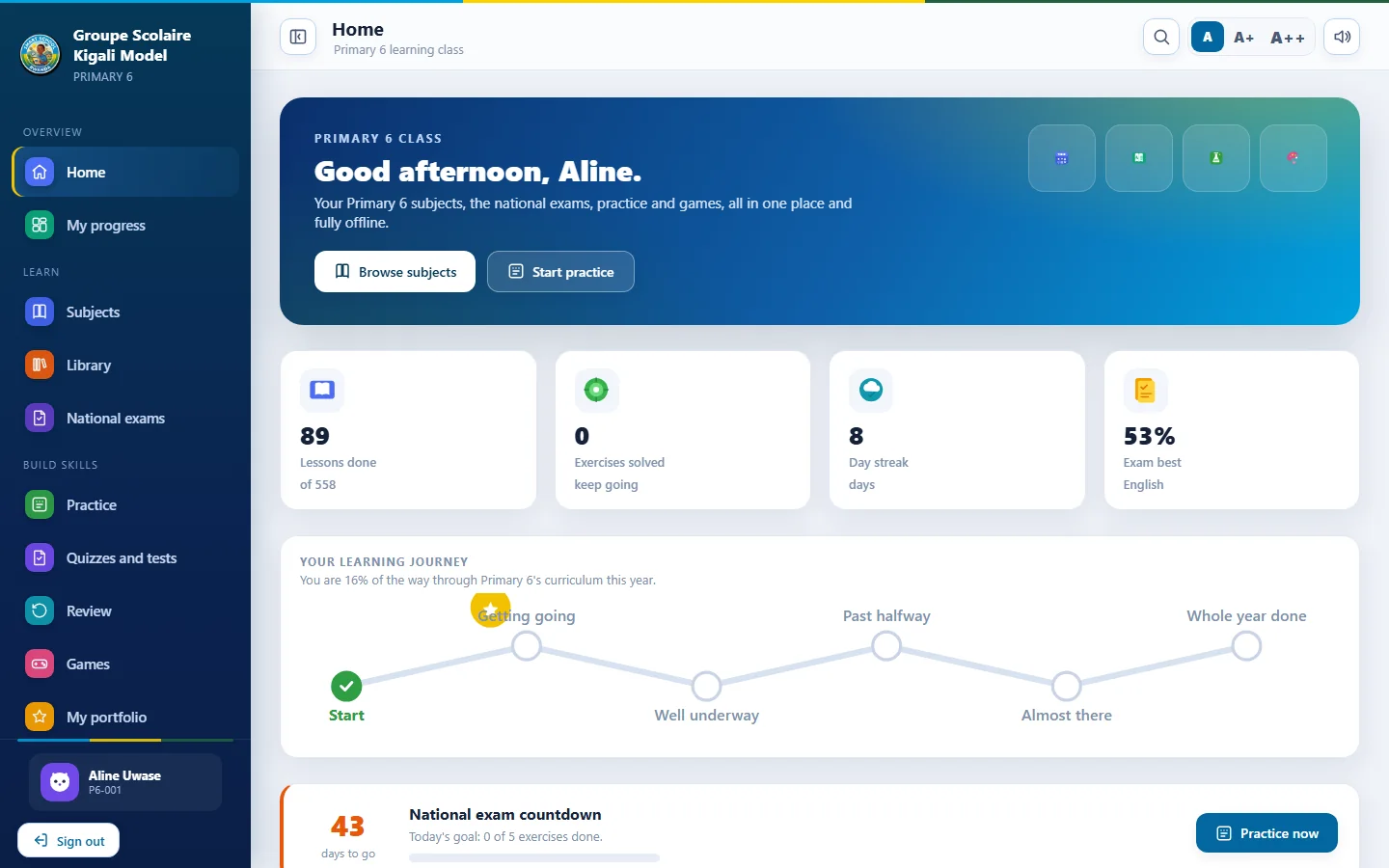
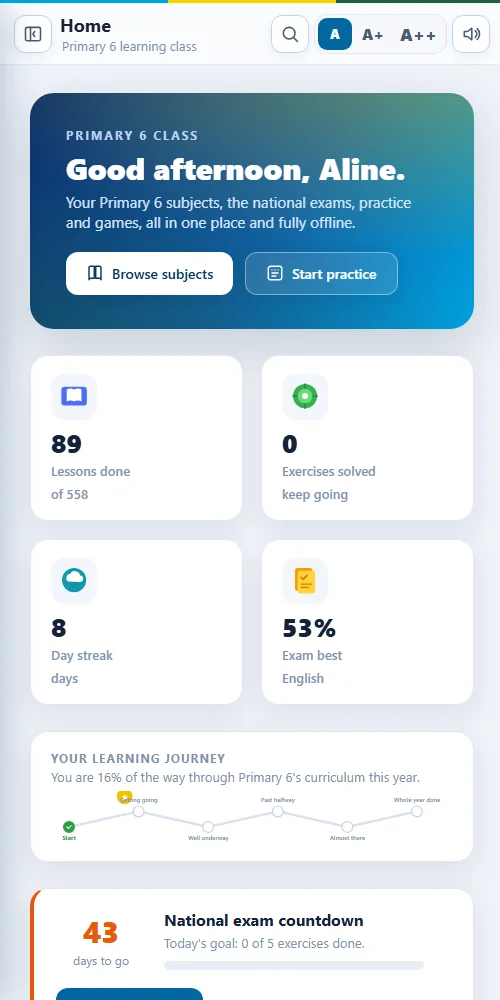
Learner home

Learners see their subjects, practice and progress in a simple, friendly layout.

  • Subjects and lessons continue where they stopped
  • Daily goals and streaks
  • Read aloud and text size settings
Smart School App
Subject library
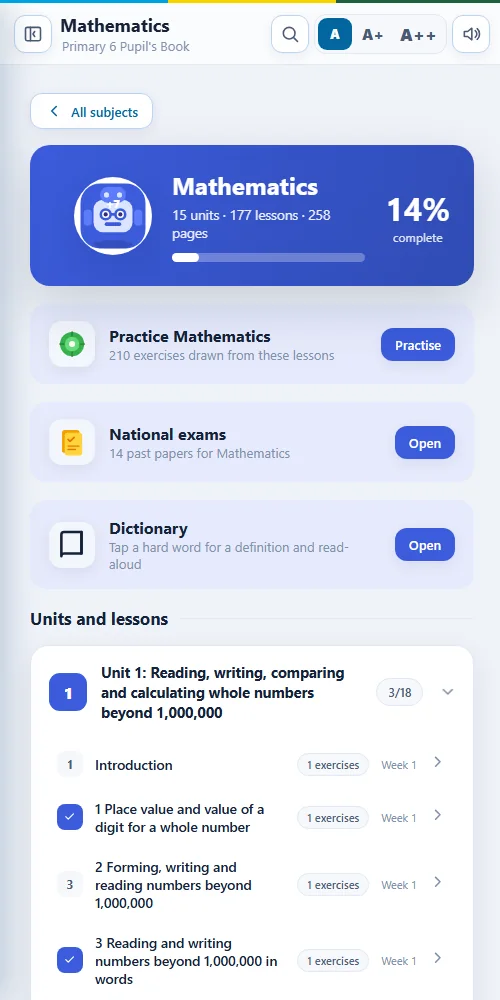
Step 3 of 12

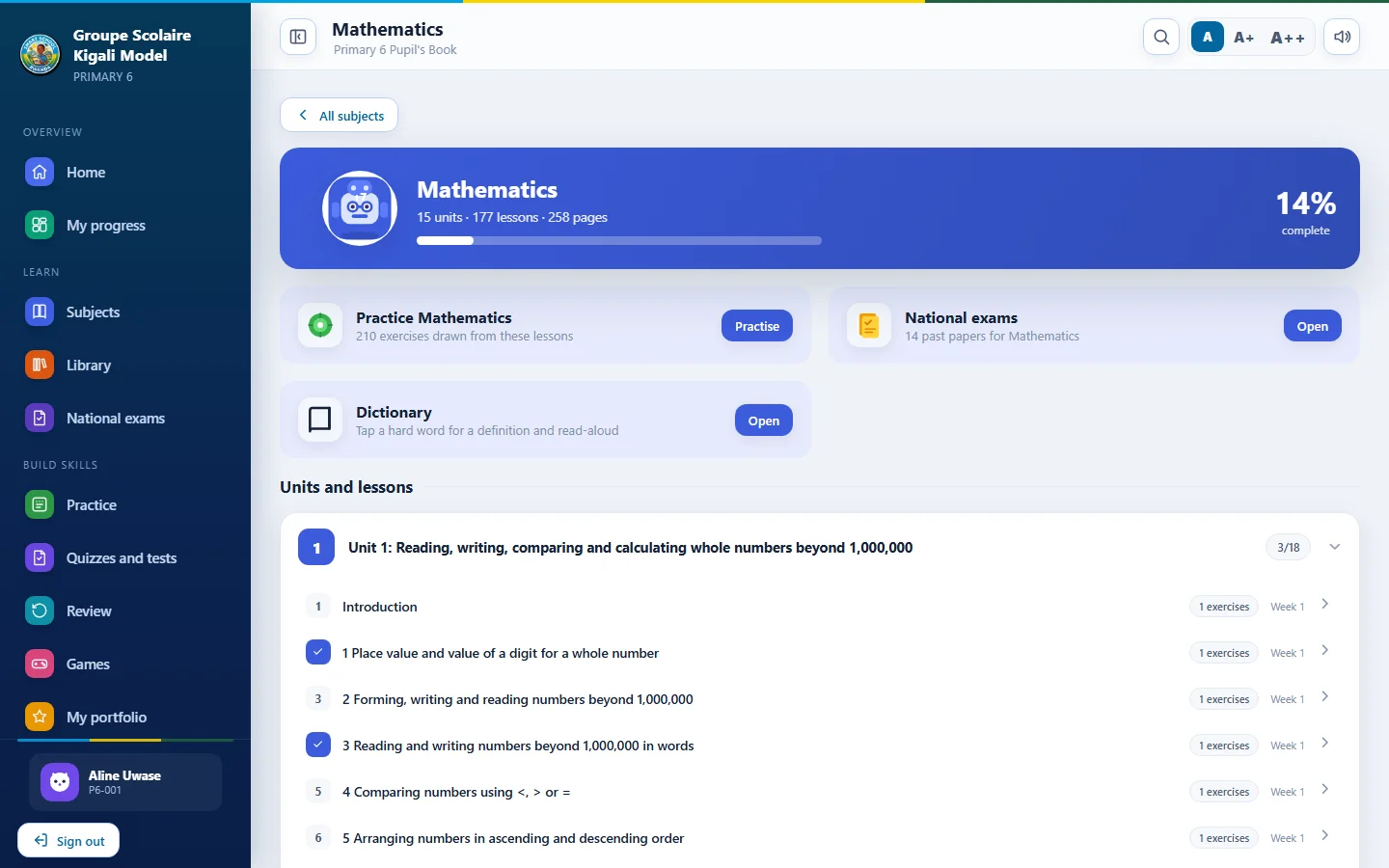
Subject library

Every unit and lesson for a subject, ready to open, with the teaching guide alongside.

  • Units in the official order
  • Pupil book pages and teacher guide
  • Lessons can be marked complete
Smart School App
Reading a lesson
Step 4 of 12

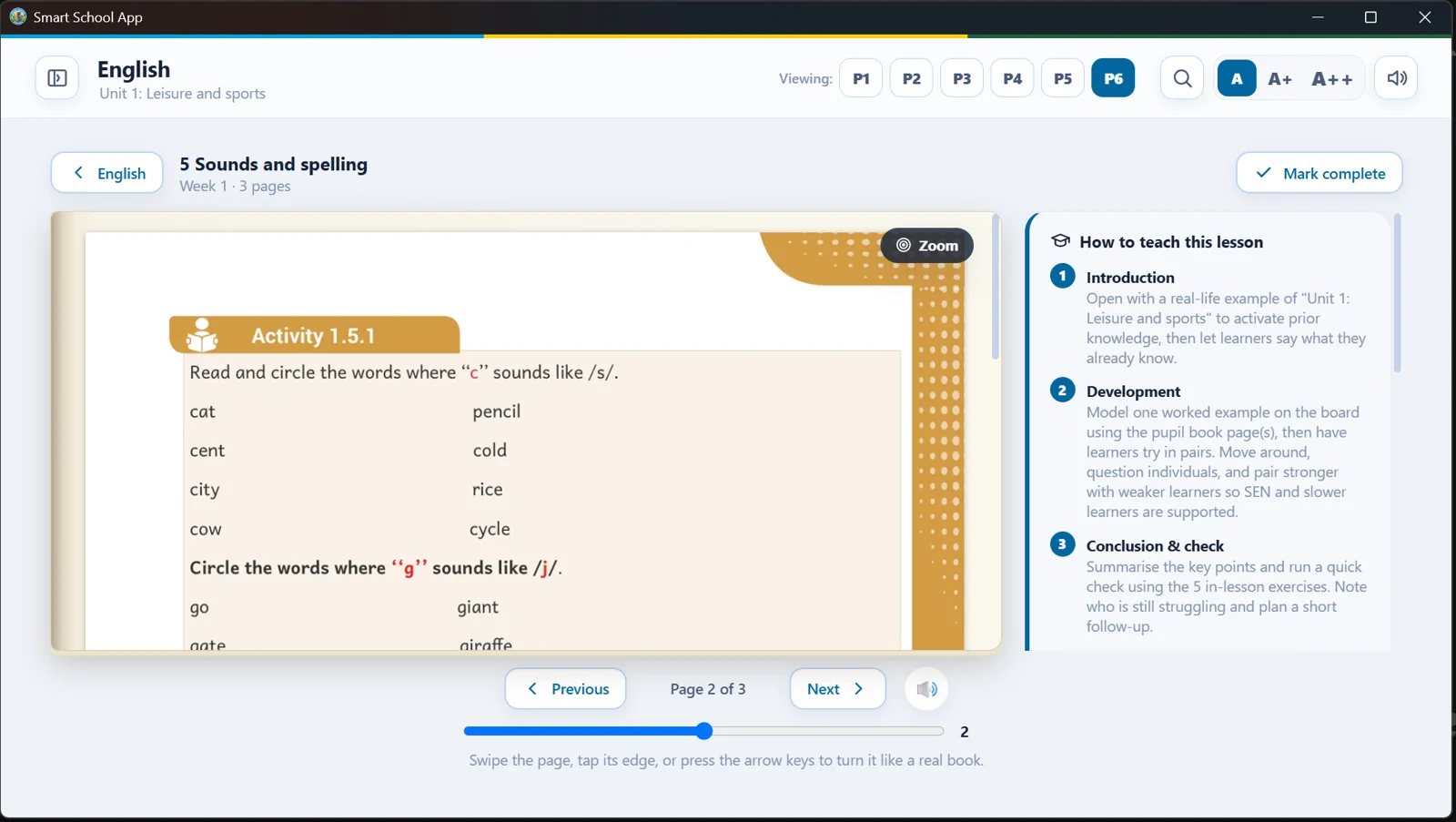
Reading a lesson

The pupil book page and the teaching guide sit side by side, with read aloud and zoom.

  • Read aloud with adjustable speed
  • Zoom for small print
  • Guide for how to teach the page
Smart School App
National exam papers
Step 5 of 12

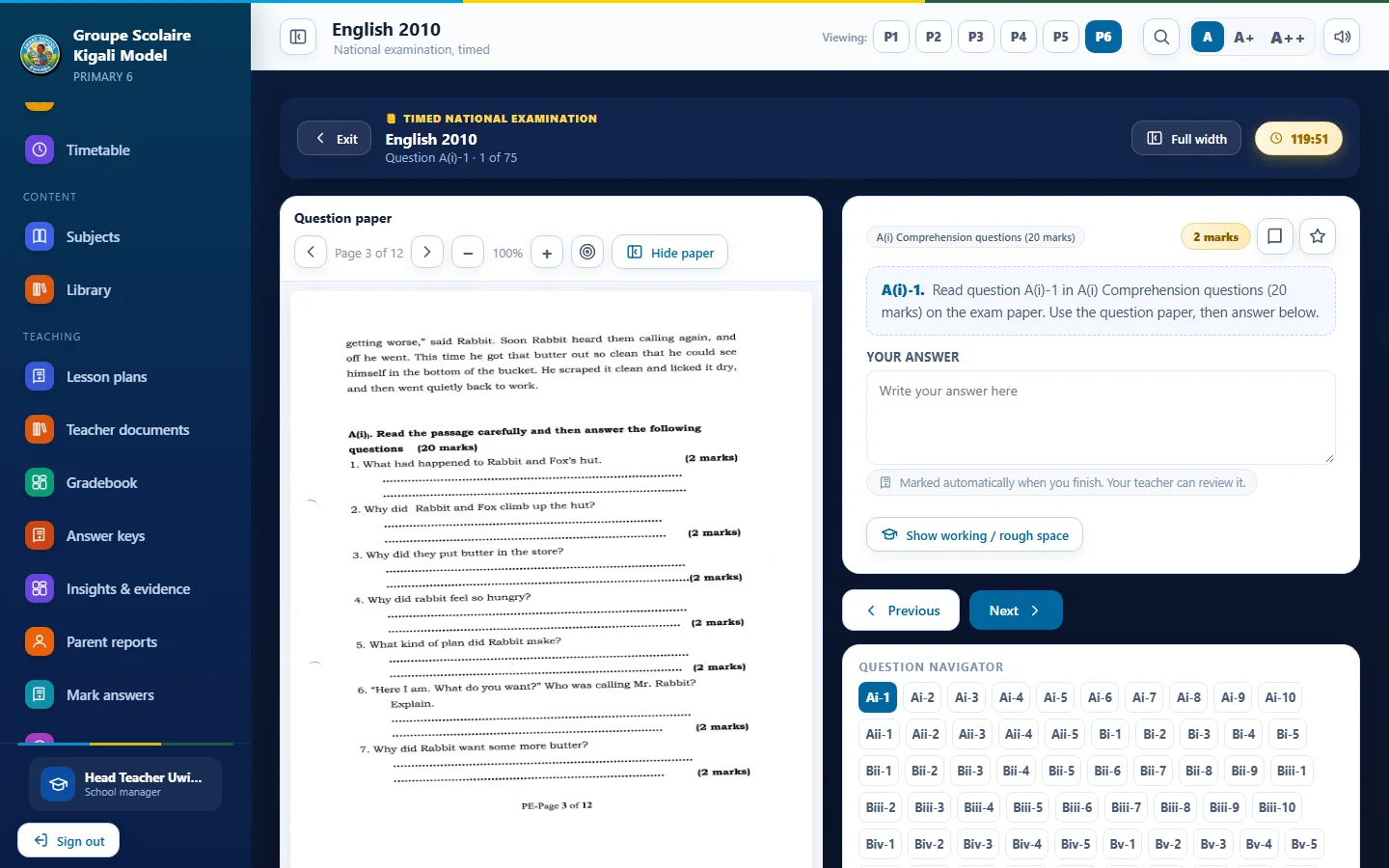
National exam papers

Past papers with the question pages, a timer and a review of every answer.

  • 62 P6 papers, 2010 to 2025
  • Timed or untimed
  • Automatic marking of written answers
Smart School App
Answer keys
Step 6 of 12

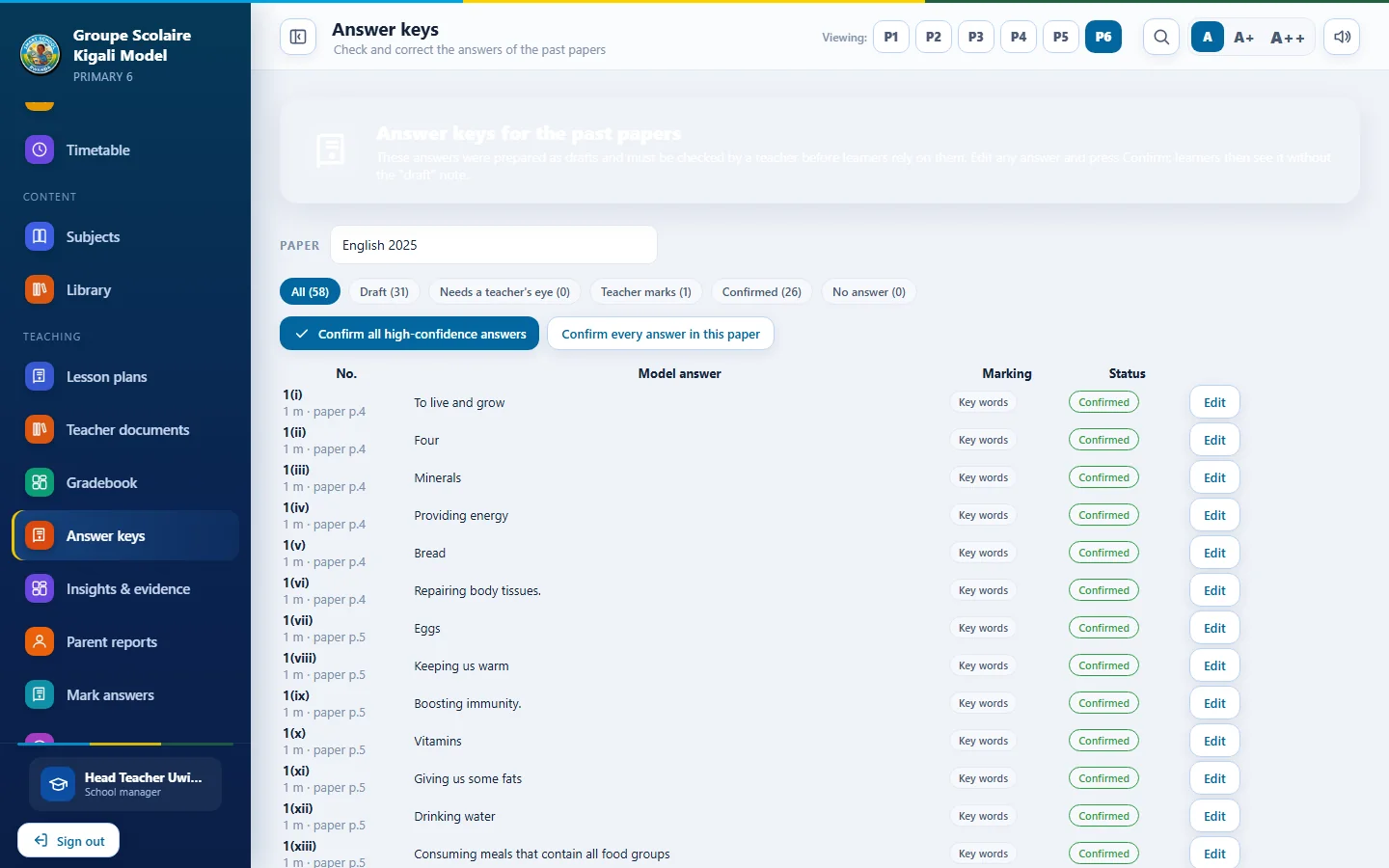
Answer keys

Teachers review each model answer, edit it and confirm it. Learners are told when an answer is still a draft.

  • Exact, key word or teacher only marking
  • Half marks where earned
  • Every answer can be changed
Smart School App
Lesson plan generator
Step 7 of 12

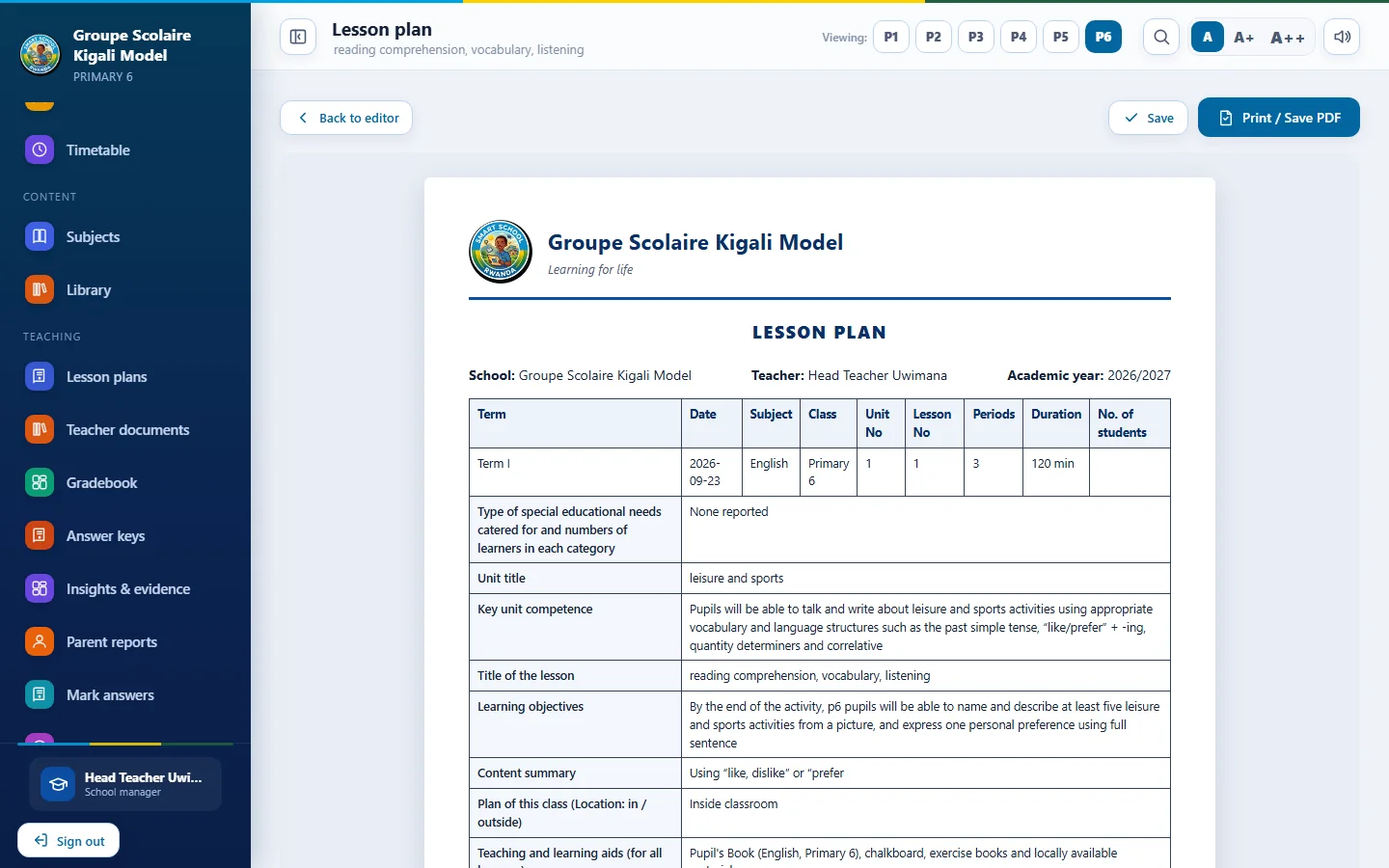
Lesson plan generator

The official REB template filled from the real scheme of work, in English, French or Kinyarwanda.

  • One lesson or a whole unit
  • Minutes for each stage
  • Ready to print
Smart School App
Timetable generator
Step 8 of 12

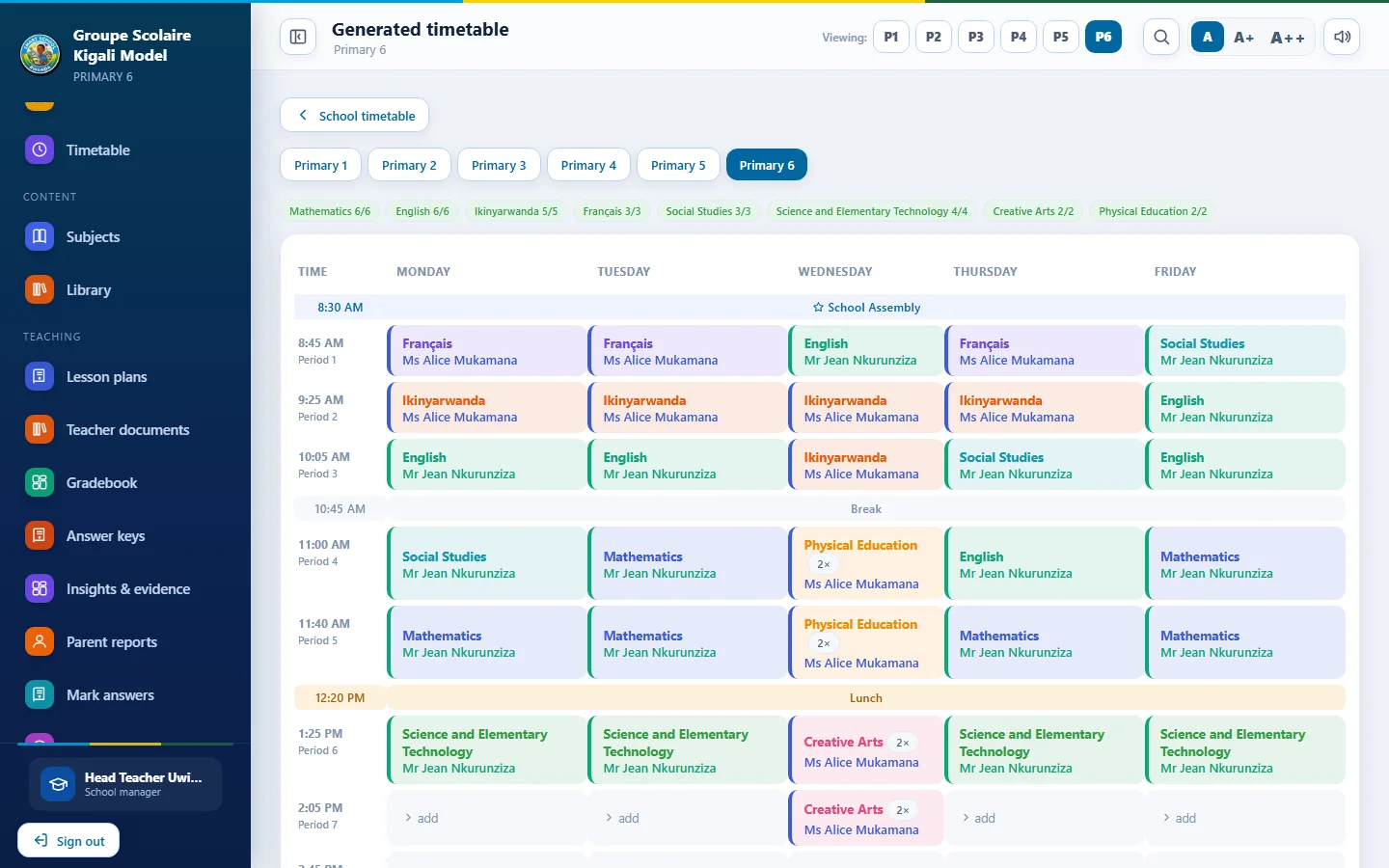
Timetable generator

A conflict free timetable for every class, with days off, double periods and morning or afternoon preferences.

  • Teachers never double booked
  • Drag and drop editing
  • Print by class or teacher
Smart School App
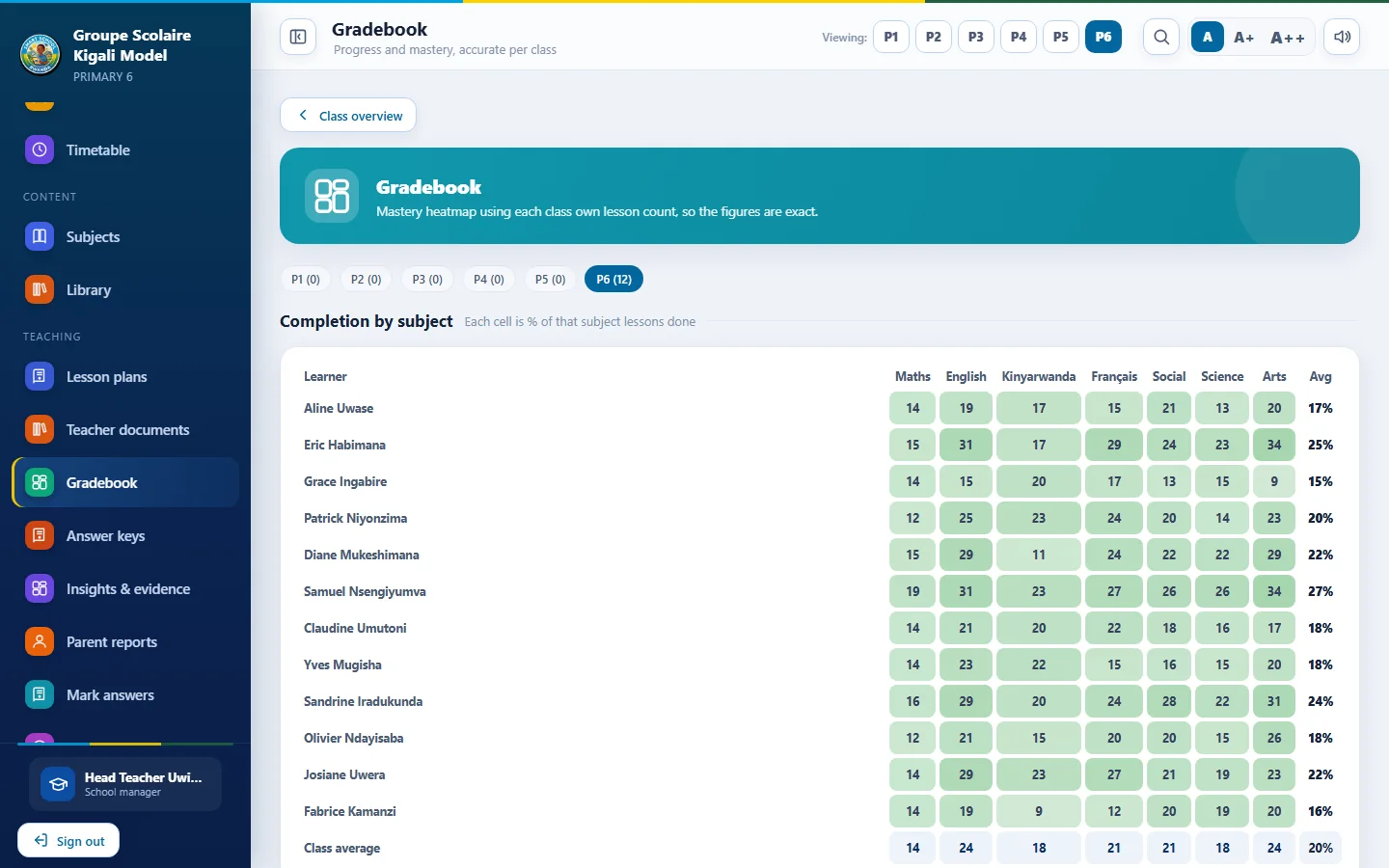
Gradebook
Step 9 of 12

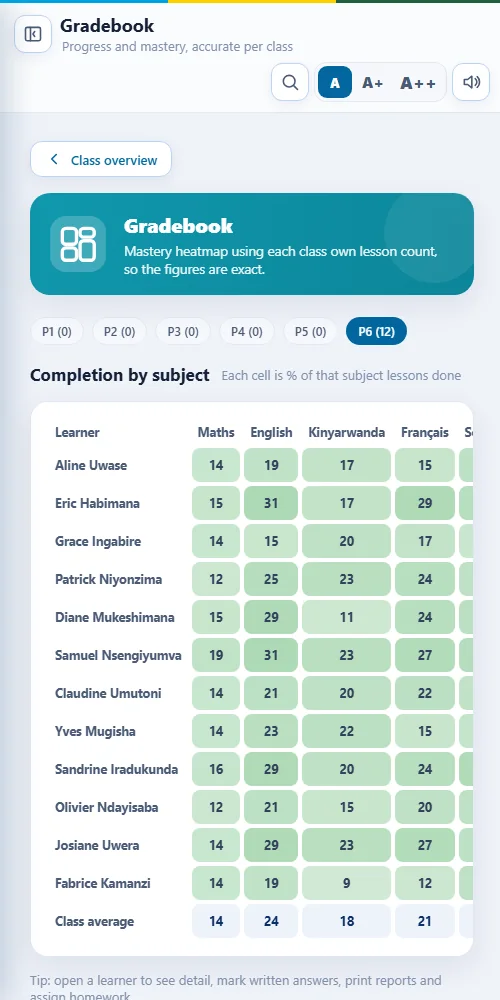
Gradebook

Scores from quizzes, exams and homework in one grid, with report cards for every learner.

  • Class and subject views
  • Homework tracking
  • Export to Excel
Smart School App
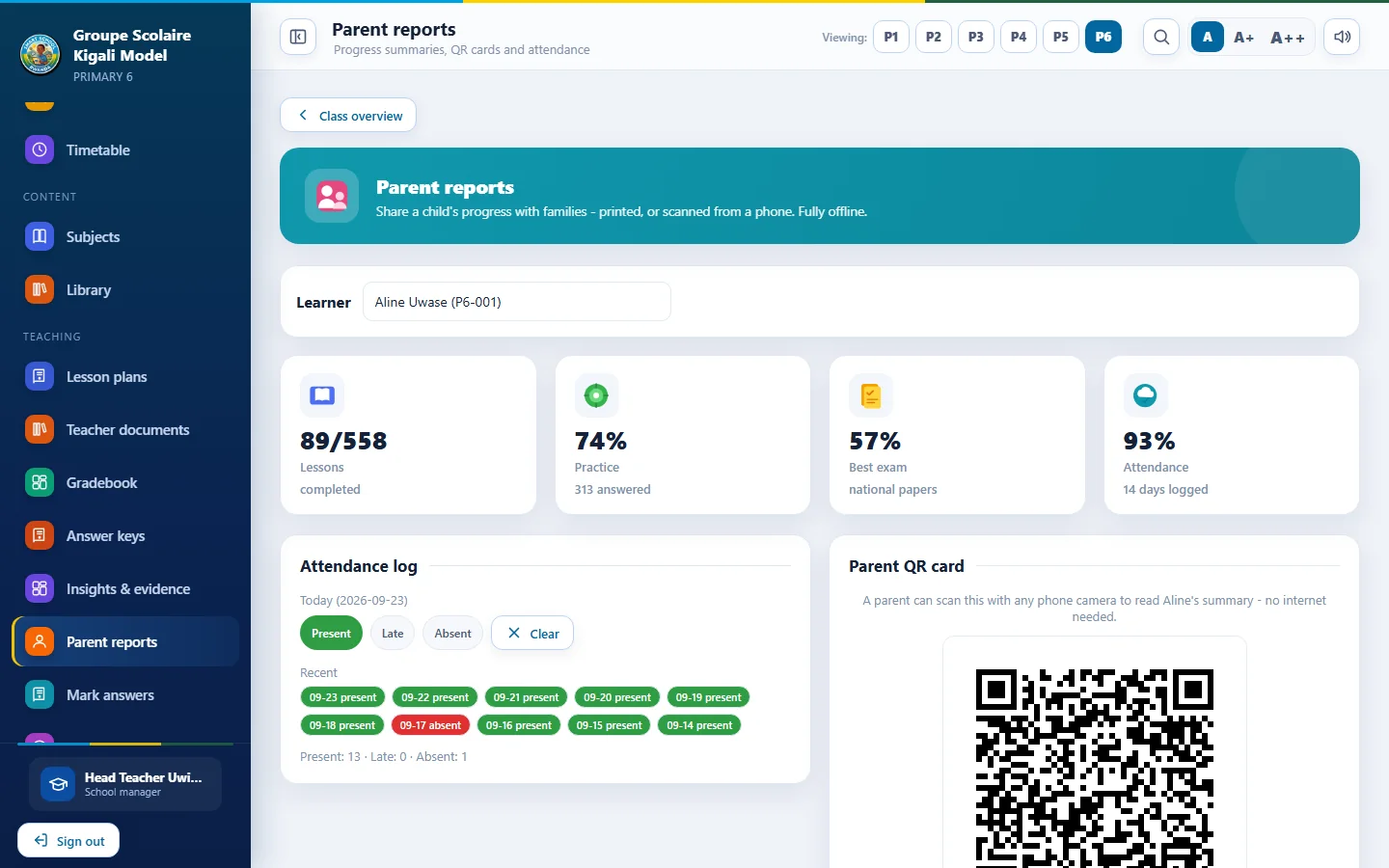
Parent reports
Step 10 of 12

Parent reports

Printable reports with a QR code that works offline, so parents see progress without internet.

  • One page per learner
  • Attendance included
  • QR code opens the summary
Smart School App
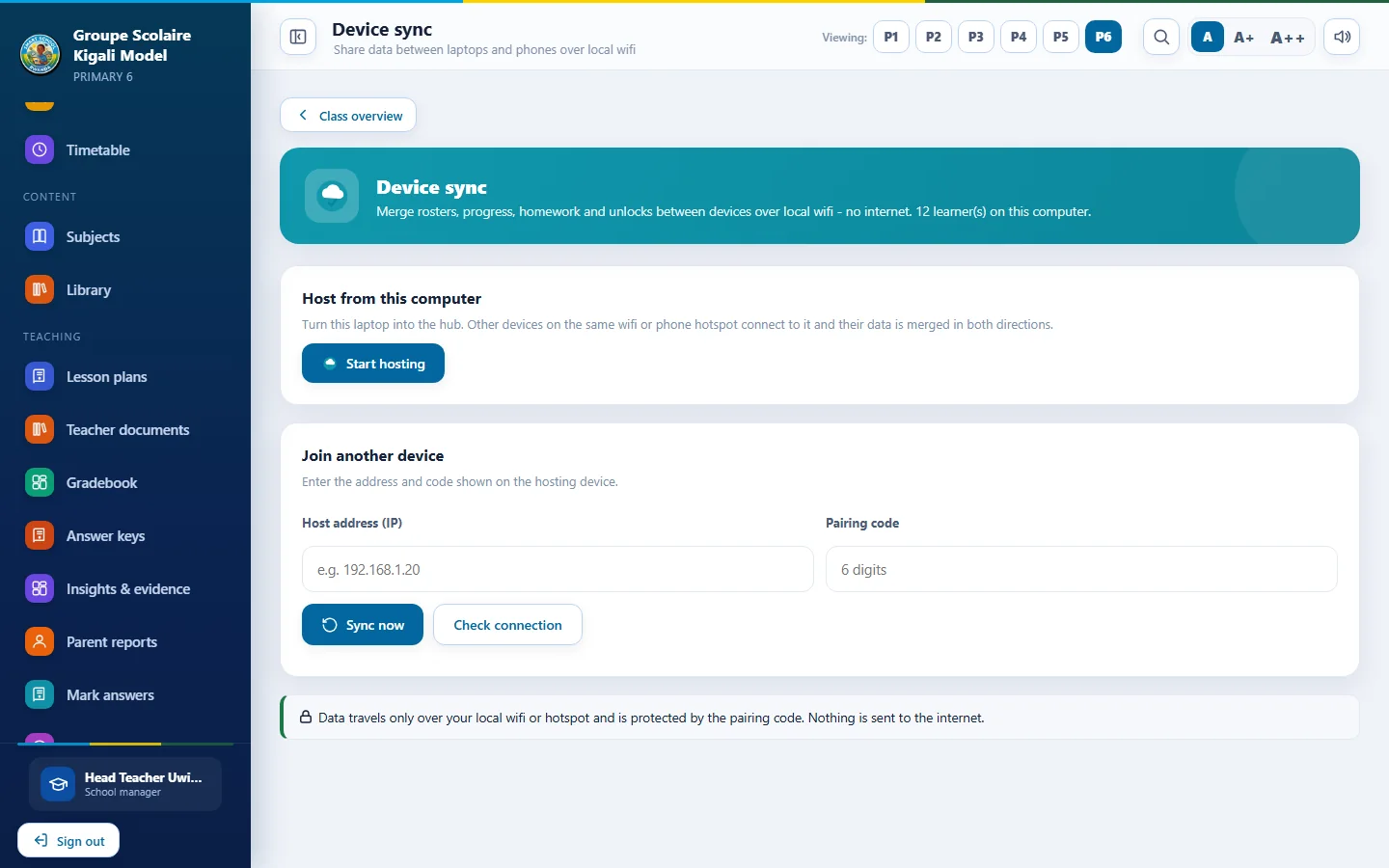
Device sync
Step 11 of 12

Device sync

Combine records from several computers and phones over the school Wi-Fi or a phone hotspot.

  • No internet needed
  • Merges work from every device
  • Protected by a pairing code
Smart School App
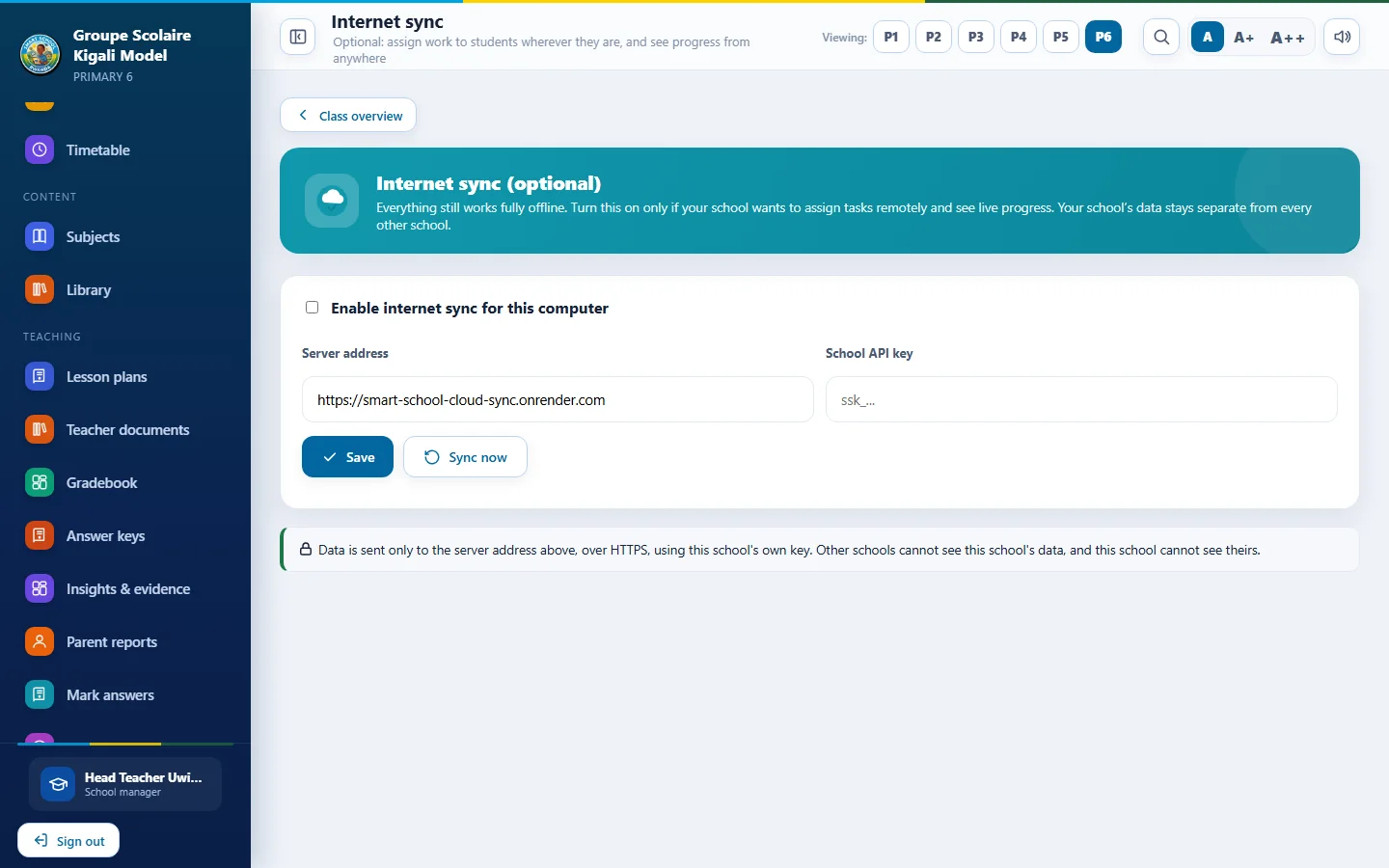
Online sync
Step 12 of 12

Online sync

With Smart School Cloud, devices also keep in step over the internet, and people can sign in from a browser.

  • Optional and off by default
  • School key and web code
  • Works with Windows and Android

Tip: use the left and right arrow keys. Click any screenshot to enlarge it.

Also on Android

The same app on the phone

Learners continue at home on the family phone with the same account and progress.
Learner home on Android
Learner homeSubjects and practice
Subject library on Android
Subject libraryUnits and lessons
Teacher home on Android
Teacher homeClasses and tools
Gradebook on Android
GradebookScores on the go

Request a live demo Download

Talk to us about your school, research project or organisation.

Request a consultationSend an enquiry