
Ikimina
Run your savings group with clear records: contributions, loans, rotation and reports, in Kinyarwanda, English or French.
Open it in your browser
No download and no sign up. Start with the demo group to look around, or create your own group in two minutes. Everything you enter stays in your own browser.
- Press Open the web app.
- Choose Explore with demo data to see a full group, or Create my group to start yours.
- In the demo, sign in as any member with the PIN 1234.
- Use Reports to save a backup of your data.

Demo group
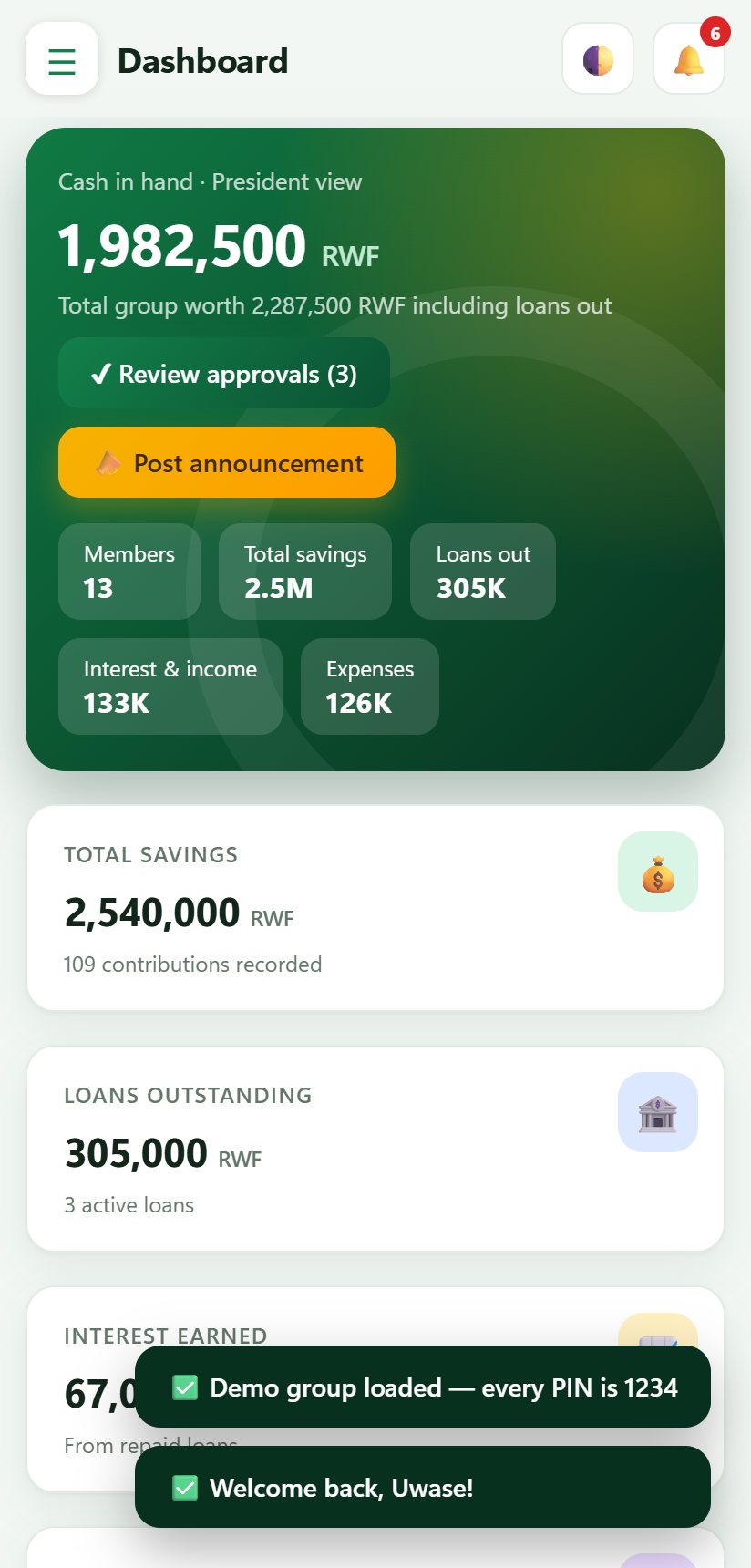
Twisungane Ikimina, a sample group with 13 members, loans, meetings and months of history, so you can try every screen.
Your own group
Create your group, add members and start recording. PIN sign in for each member, with a lock after too many wrong tries.
Screen by screen
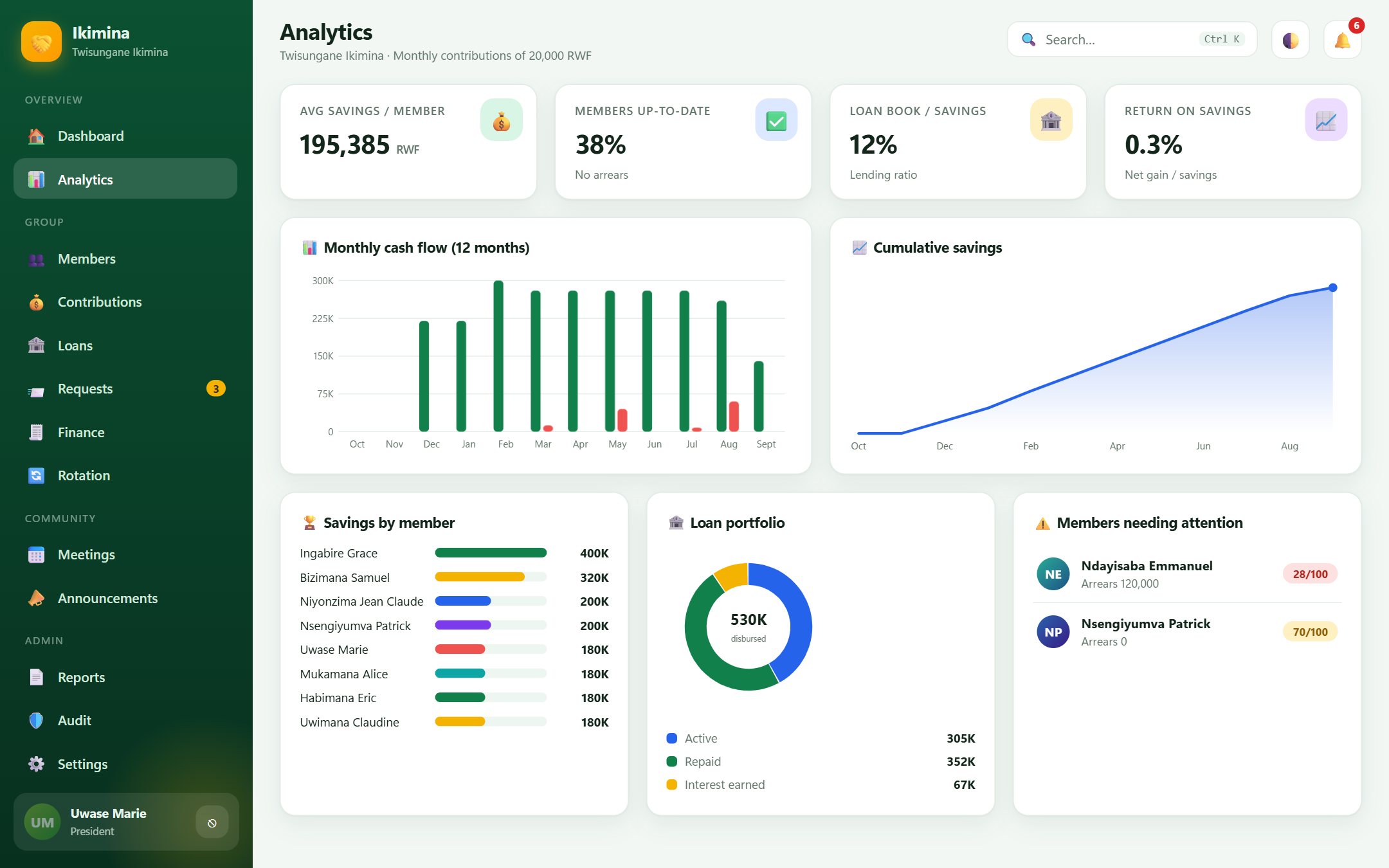
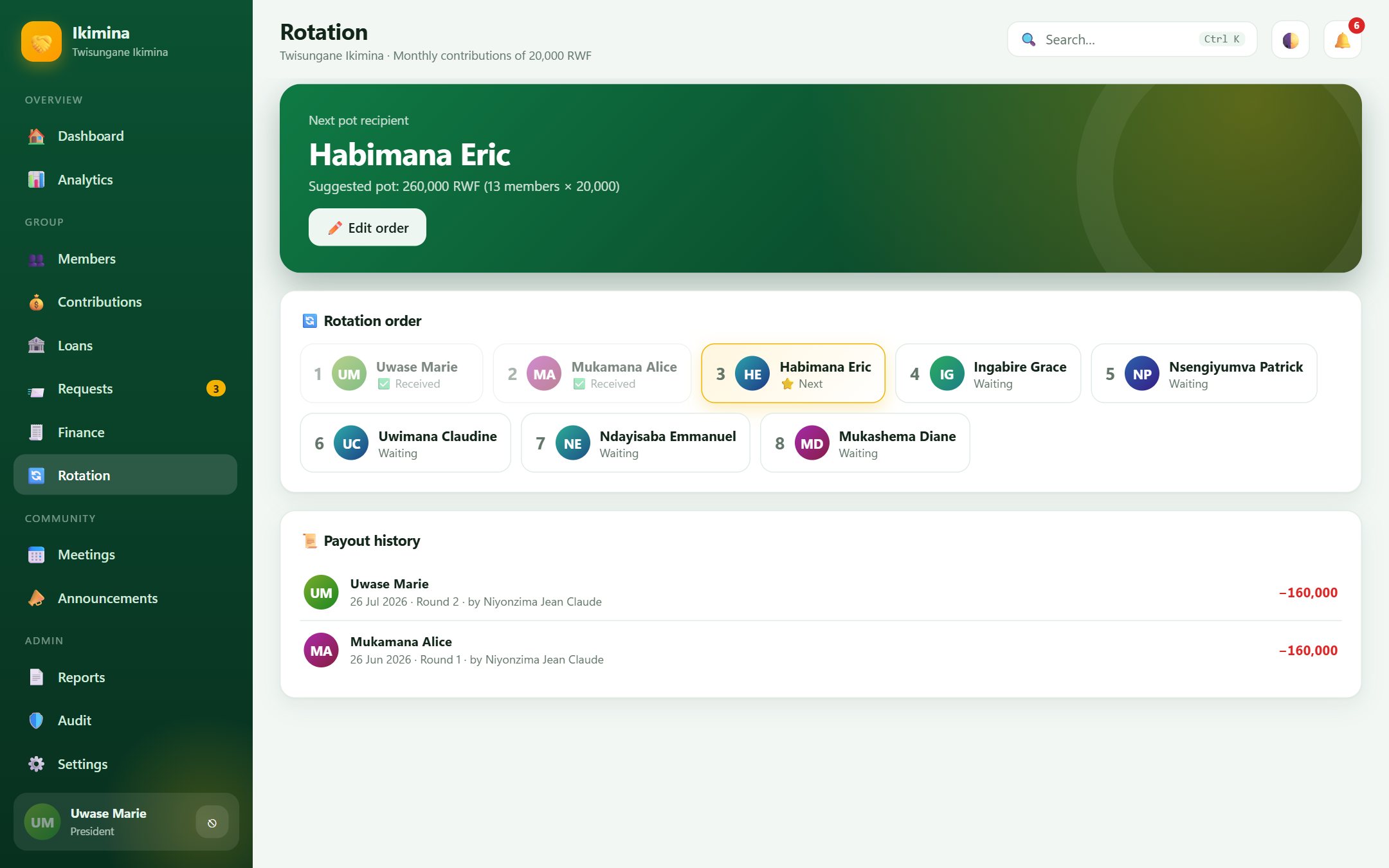
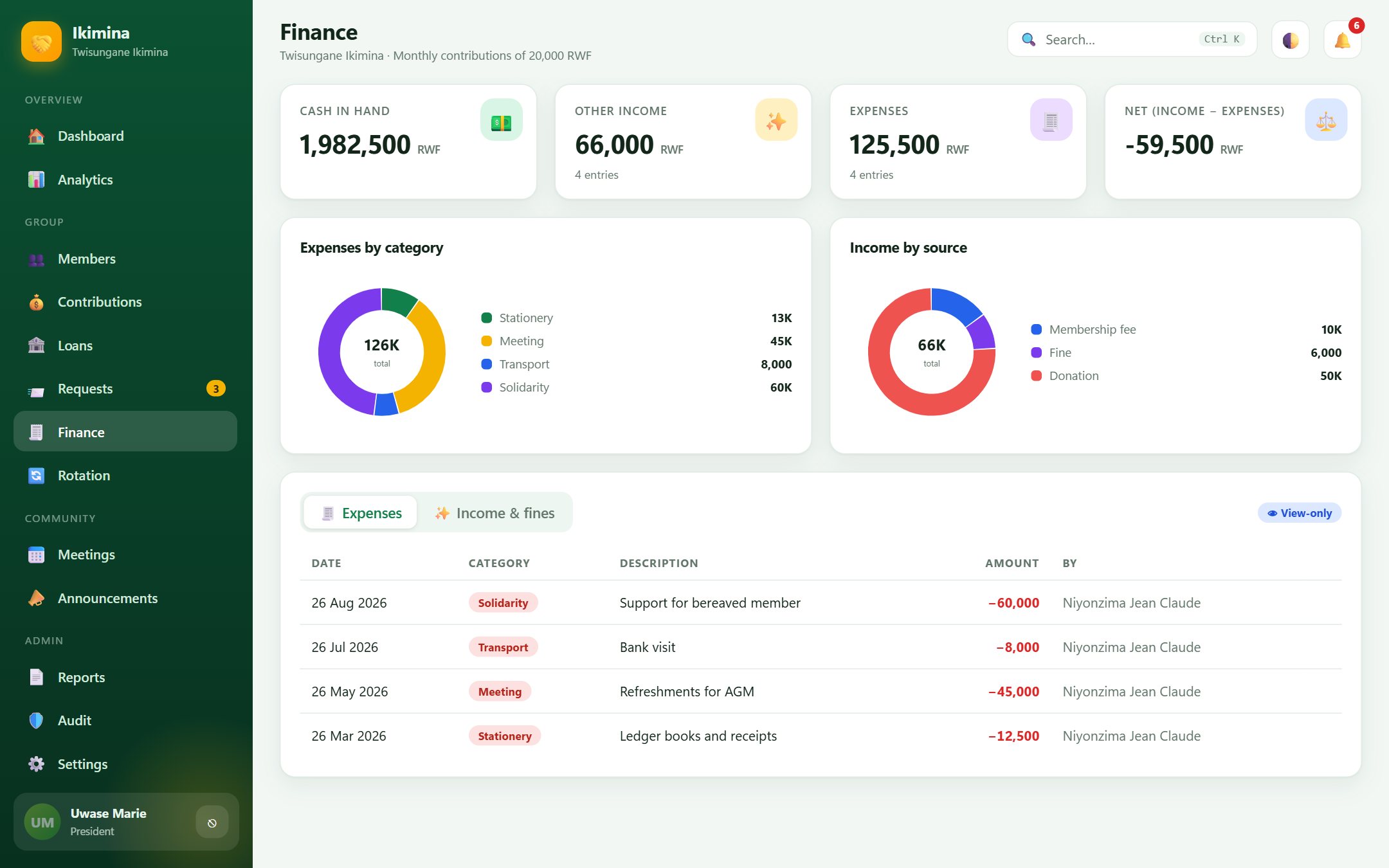
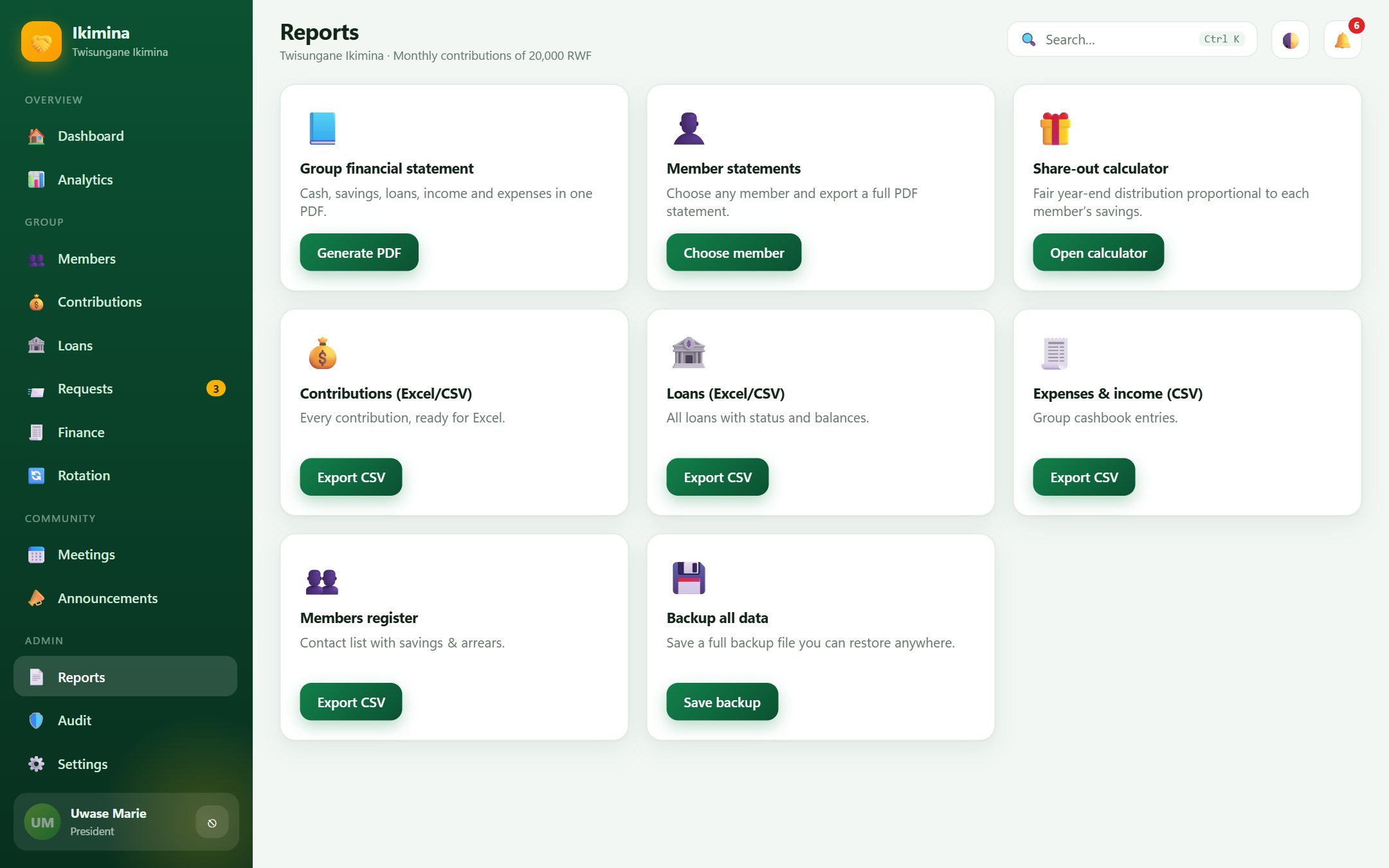
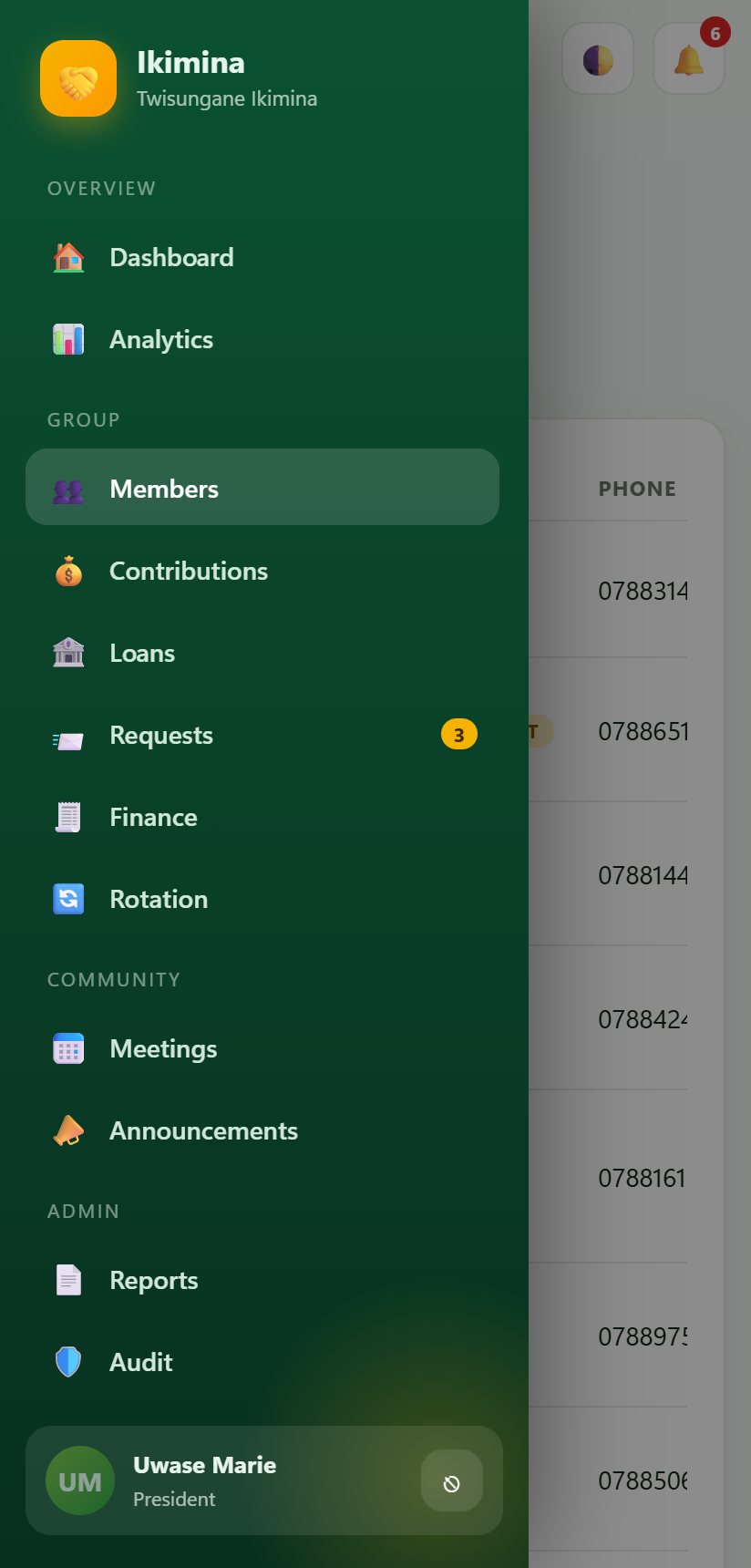
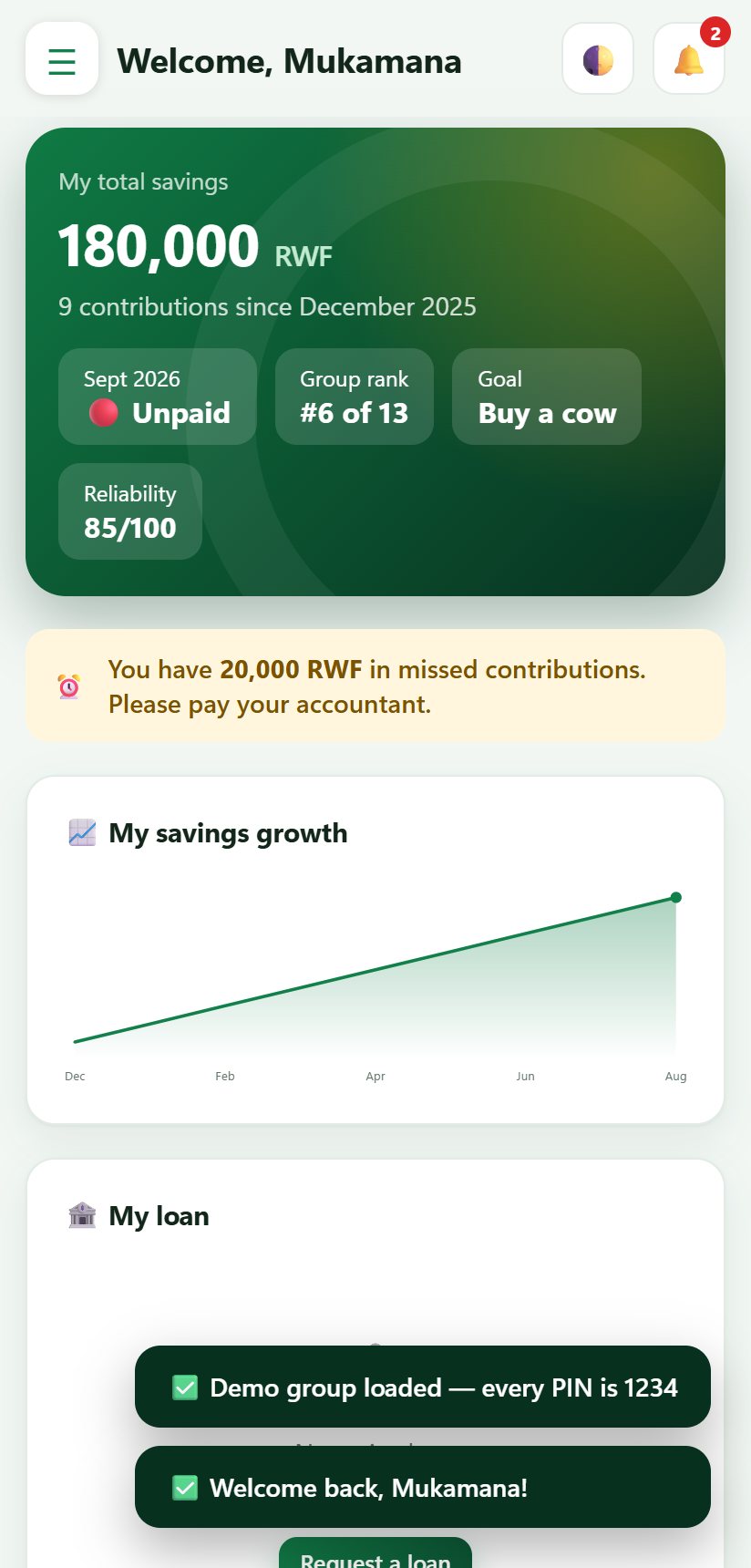
Real screens from the web app, using the demo group. Click a screenshot to enlarge it.
Ikimina
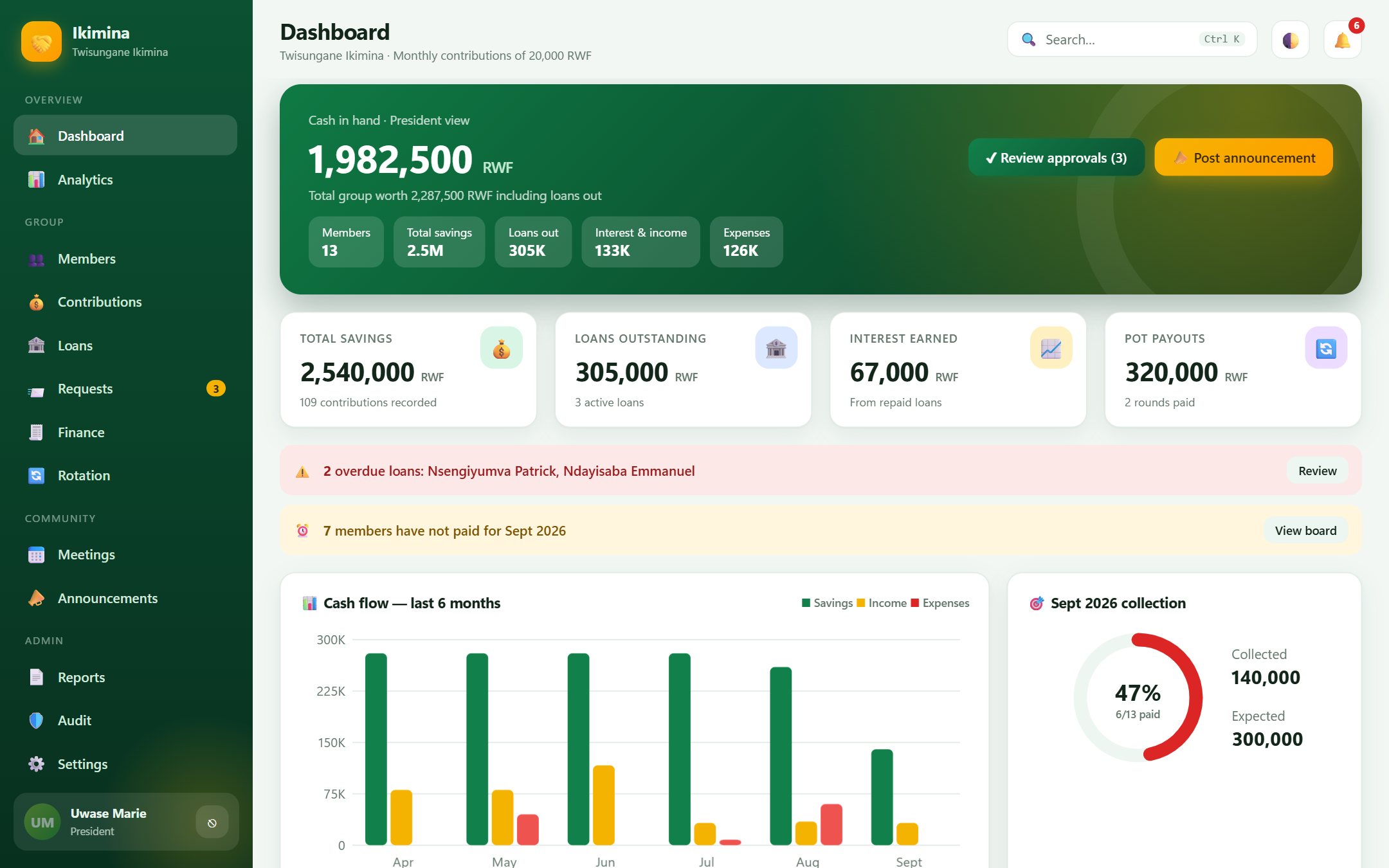 Ikimina
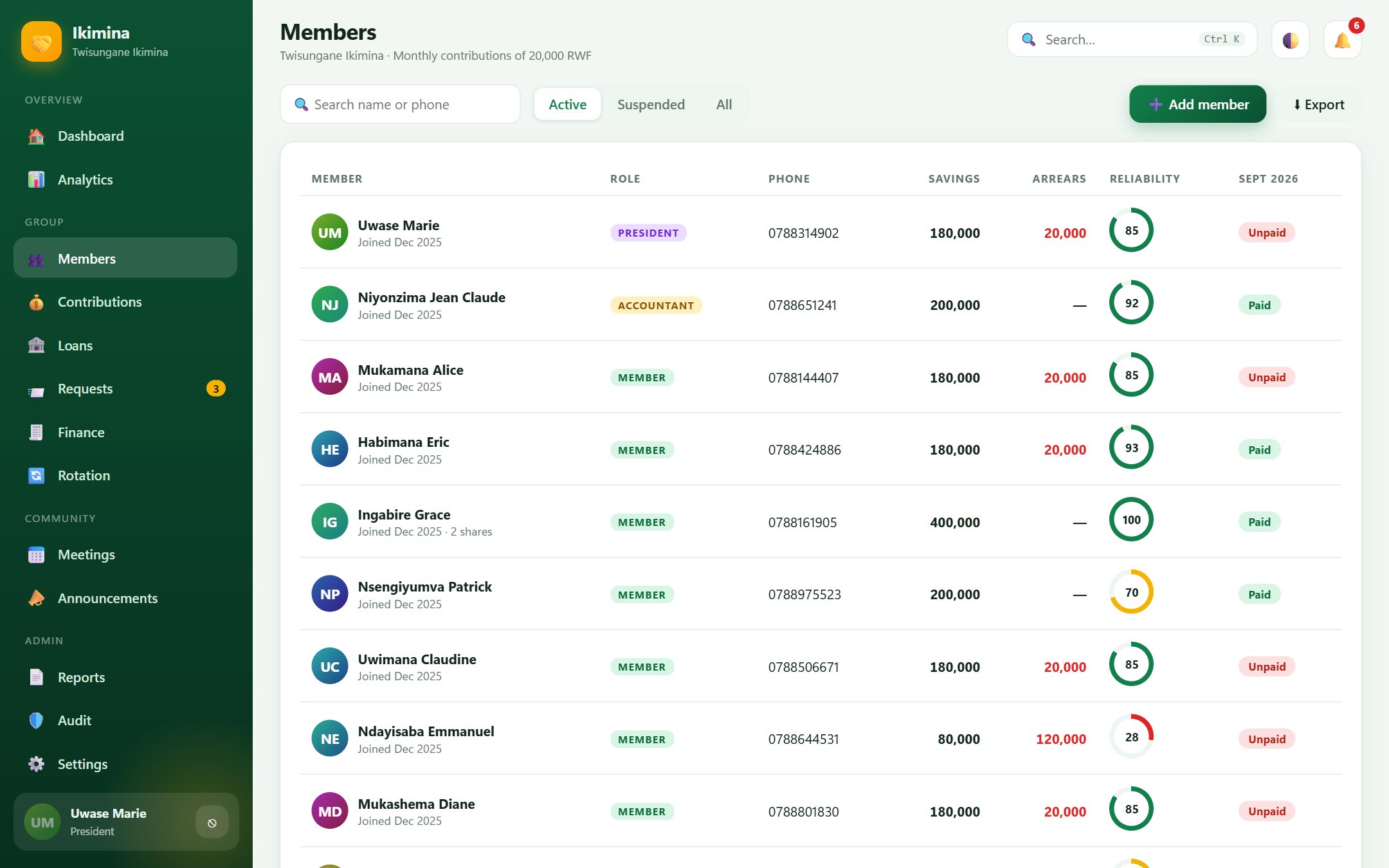 Ikimina
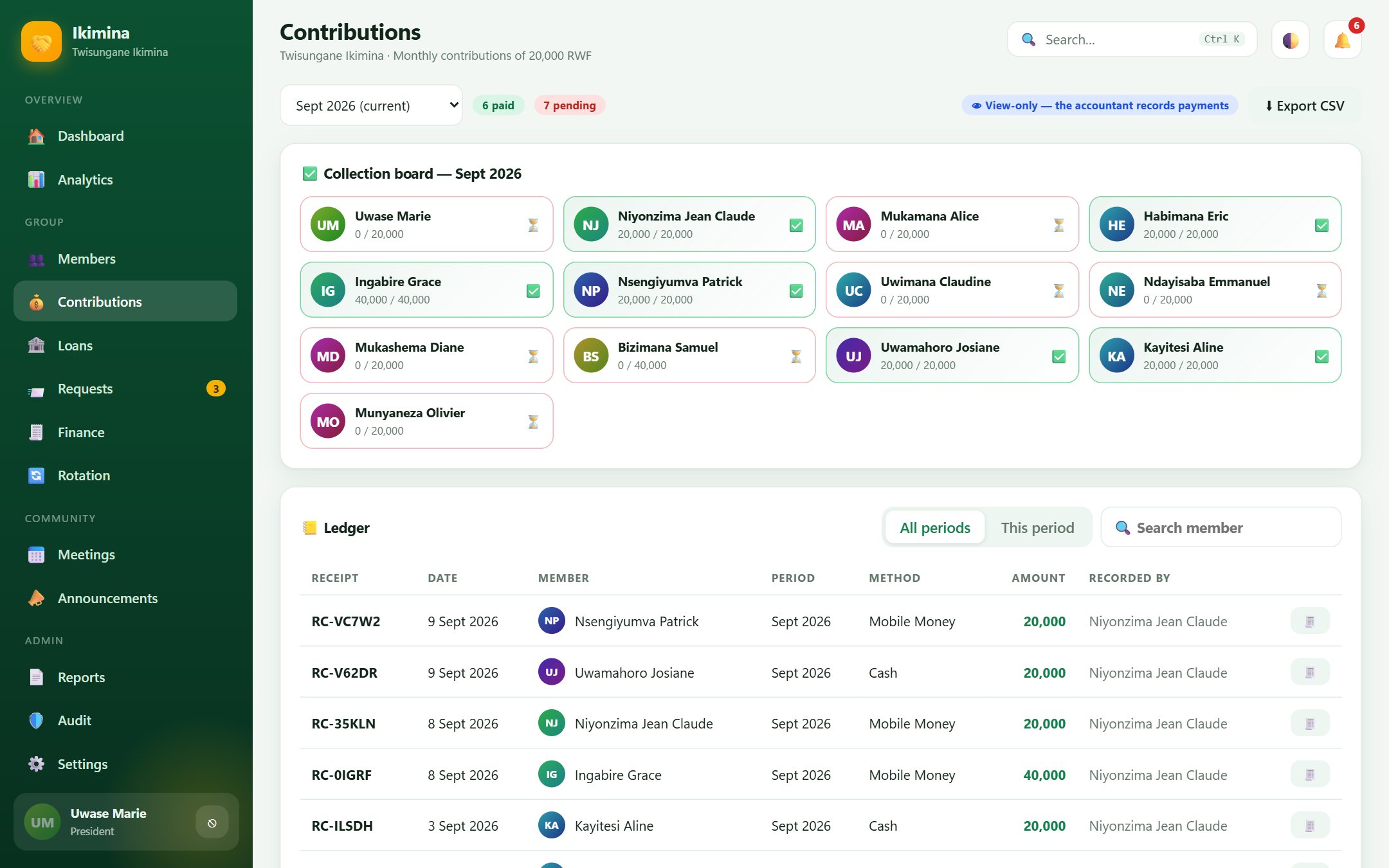 Ikimina
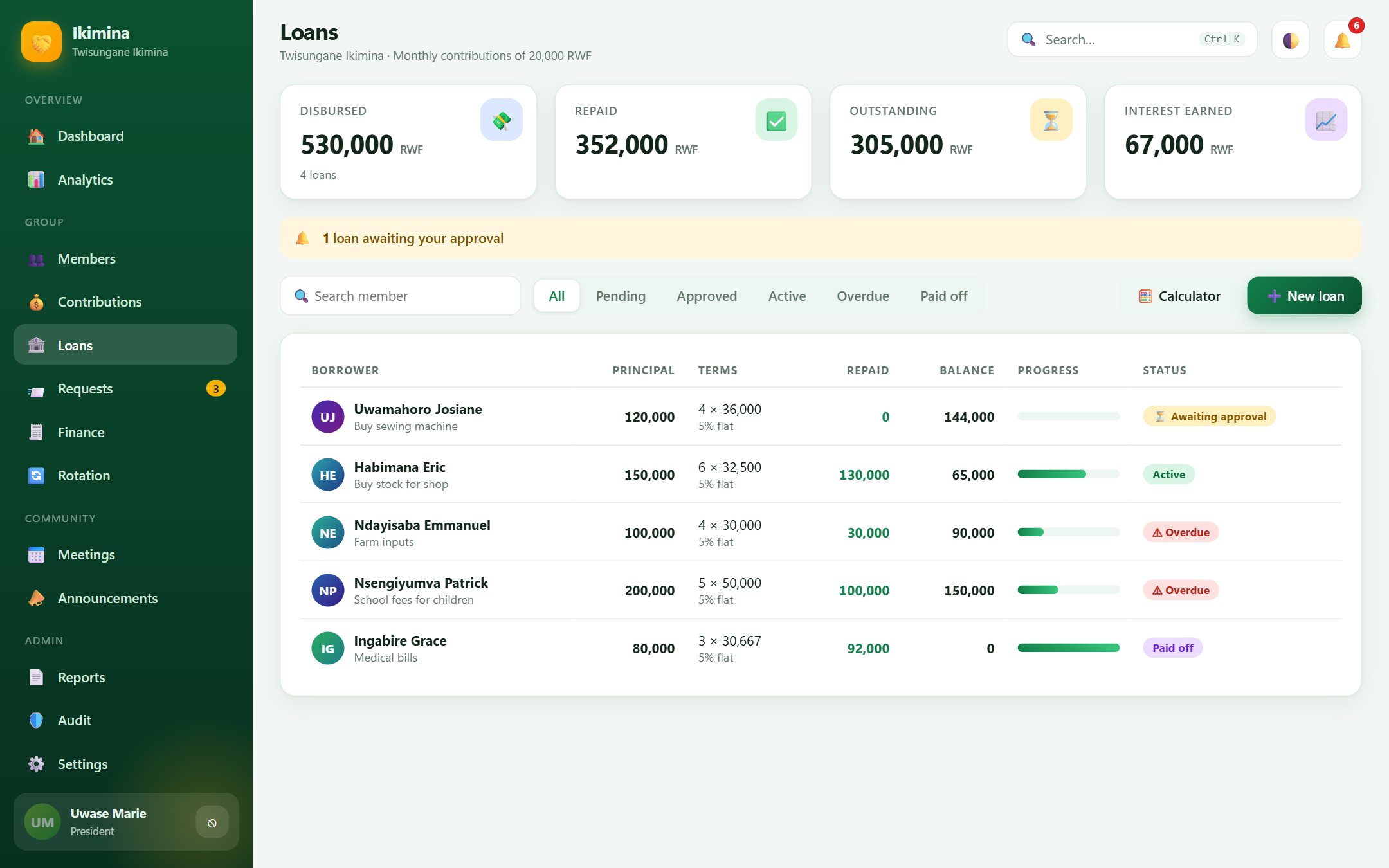 Ikimina
 Ikimina
 Ikimina
 Ikimina
Tip: use the left and right arrow keys.
Works on a phone too
On a phone the menu slides in from the side and the cards stack, so a treasurer can record contributions at the meeting.
Everything a savings group needs
The same features in the browser and in the Windows program.
Members and roles
The President approves and oversees, the Accountant records every payment, and members see only their own savings and loans.
Contributions
Set the amount and cycle (daily, weekly, every two weeks or monthly). Members can hold more than one share.
Loans
Flat or declining interest, a maximum loan based on savings, president approval, an instalment schedule and late penalties after a grace period.
Rotation
For groups that pass the pot around: set the order, record each payout and see whose turn is next.
Requests, meetings, announcements
Members ask for loans or report absences, and the group posts meeting notices, minutes and announcements.
Reports
Group and member statements as PDF, a year-end share-out calculator, and Excel exports for contributions, loans, cashbook and members.
Audit trail
Every sign in, payment, approval and change is logged with who did it and when.
Three languages
Kinyarwanda, English and French, with dark mode for evening meetings.
Your data stays with you
Records are saved on your own device. Nothing is sent to us. Save a backup file regularly.
Which version suits you
| Web | Windows | |
|---|---|---|
| Cost to try | Free | Ask us |
| Needs installing | No | Yes |
| Works without internet | Keep the tab open after the first visit | Yes |
| Where the records live | This browser | This computer |
| Backup and restore | Yes | Yes |
| PDF and Excel reports | Yes | Yes |
Good to know
Is my group's data safe?
Your records are saved on your own device only. Members sign in with a PIN, and the app locks after ten minutes of no use. Because nothing is stored online, clearing the browser data would remove your records, so use Reports then Backup all data often and keep the file safe.
Can two people use the same group?
Not at the same time on different devices. Records are kept on one device. To move to another device, save a backup and restore it there.
What is the demo PIN?
In the demo group every member's PIN is 1234. When you create your own group you choose your own PINs.
Does it work with mobile money?
You can record a payment as cash or MoMo with a reference number. The app does not connect to any mobile money account or move money.
Do I need the internet?
You need a connection to open the web app. For a fully offline setup, ask about the Windows or Android app.
See your group's books in two minutes
Open the demo, look at every screen, then create your own group when you are ready.