
School Timetable
Plan every period, place every teacher and print a professional timetable from pre-primary to Senior 6. It starts from the REB 2026-2027 weekly periods and works offline.
What you can do
REB weekly periods
Start from the REB 2026-27 weekly periods for each level and subject, then change anything to fit your school day.
Teachers and days off
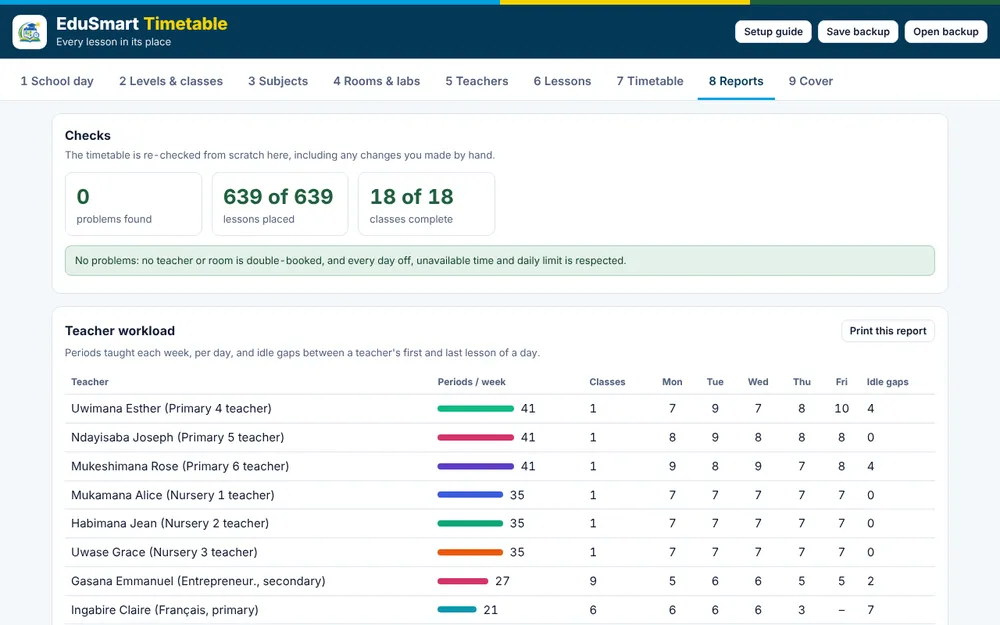
Say who teaches what, their days off, unavailable periods and daily limits. The timetable respects all of them.
Rooms and labs
Give labs and special rooms a capacity. Lessons that need them are never double-booked.
The pre-primary day
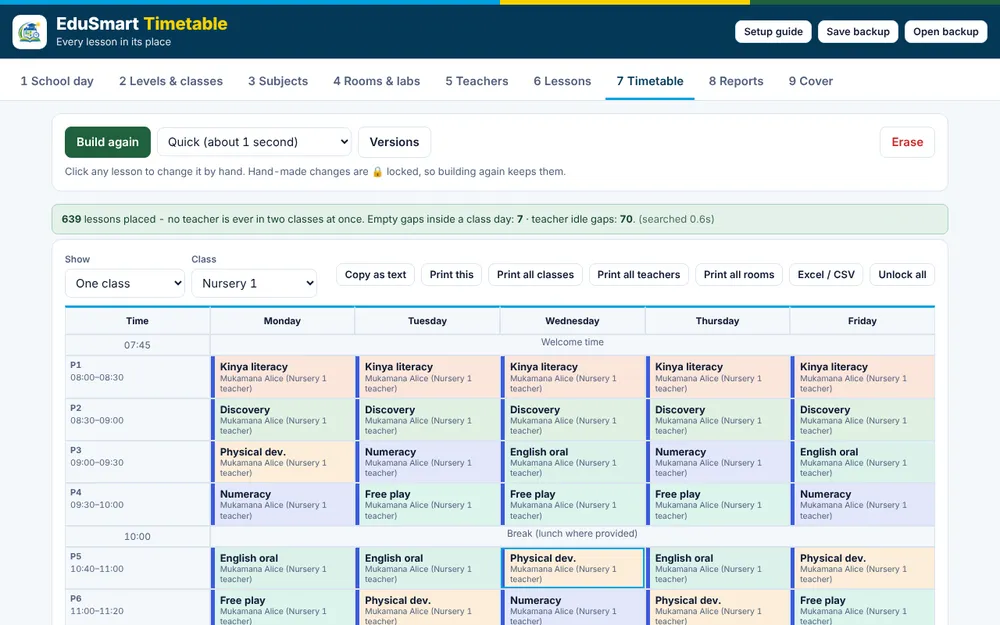
Nursery classes show the REB pre-primary day: welcome time, 30 and 20-minute blocks, a break and closing time.
Fix by hand, build again
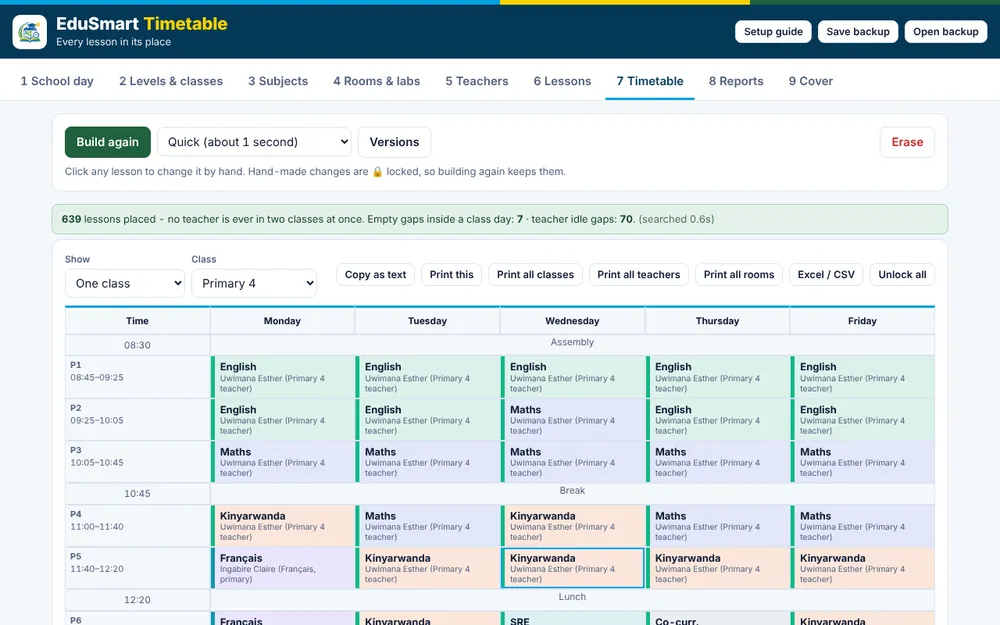
Click a lesson to move it. Hand-made changes are locked, so building again keeps them. Versions lets you go back.
Print, share and cover
Print by class, teacher or room, export to Excel (CSV), copy as text for WhatsApp, and make a cover sheet when a teacher is absent.
Clash-free timetable planner
- Set up your school. Name, levels, classes and the school day. About two minutes.
- Add teachers and lessons. Who teaches what, their days off and daily limits.
- Generate and print. A clash-free timetable for every class and teacher, ready to print.
School Timetable
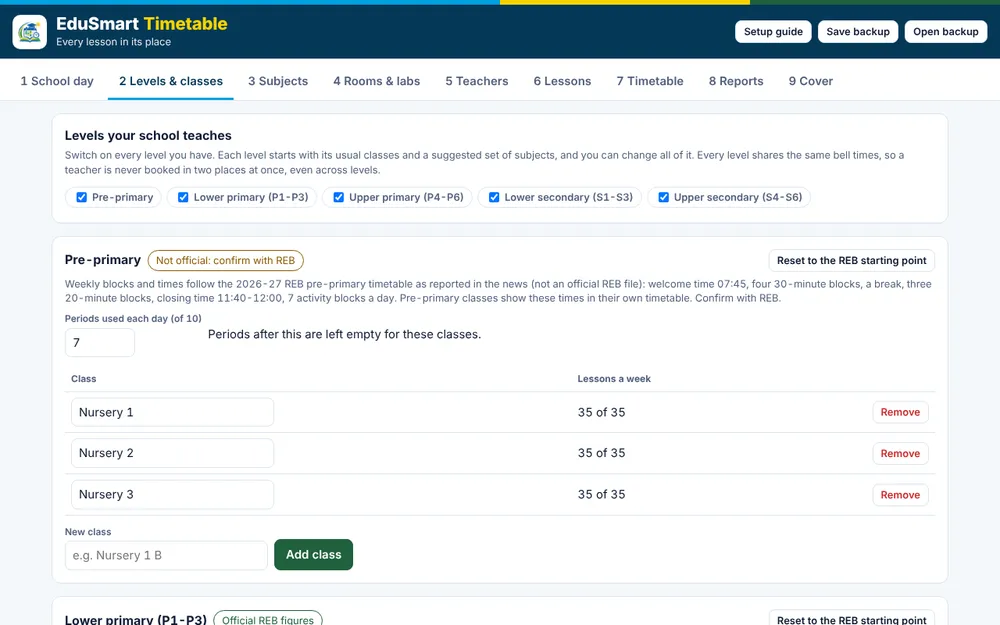
It runs in any modern browser on a phone, tablet or computer. After the first visit it works offline, and you can install it from the browser menu like an app. Your school, teachers and timetable are saved in your browser on your own device. Use Save backup to keep a file copy. Figures for lower primary, upper primary and secondary come from REB syllabi and content-distribution files. The pre-primary figures come from a news report of the REB timetable, not an official REB file, so confirm them with REB.
Do I need an account?
No. Everything works on your own device without an account.
Can it handle double periods?
Yes. A double lesson is placed as two periods in a row on the same day.
What if a teacher is absent?
Use the Cover tab: it finds a free teacher for each lesson and prints a cover sheet.
Can my school get a Windows installer?
Yes. Ask us and we will prepare it for your computers.
Are the weekly periods official?
Most figures come from REB documents and are marked in the tool. Pre-primary comes from a news report, so confirm with REB.
Want it for your school?
We can set it up for your school, train your teachers and prepare a Windows installer for your computers.